



Instagram Automatic Reels: Effortless 2025 Success
Why Instagram Automatic Reels Matter for Modern Creators
Instagram automatic reels refers to powerful capabilities changing how creators approach short-form video, from AI-driven content creation to Instagram’s native scheduling and viewing features.
Here’s what you can automate:
- Viewer Experience: Instagram is testing an auto-scroll feature that lets users watch Reels continuously.
- Content Scheduling: Schedule up to 25 Reels per day, up to 75 days in advance, using Instagram’s built-in scheduler.
- Reel Creation: Use AI tools to automatically generate scripts, voiceovers, visuals, and captions.
- Distribution: Automate posting workflows using no-code platforms or direct API integration.
- Testing: Launch trial reels to non-followers first to gauge performance before wider distribution.
Instagram Reels achieve greater reach than static posts, but creating fresh content is exhausting. Automation helps you maintain consistency while freeing up time for strategy. The challenge isn’t just making Reels; it’s making them consistently, keeping them on-brand, and testing what works without burning out.
Creators who succeed are those who build systems that work while they sleep. This guide will show you how to build yours.
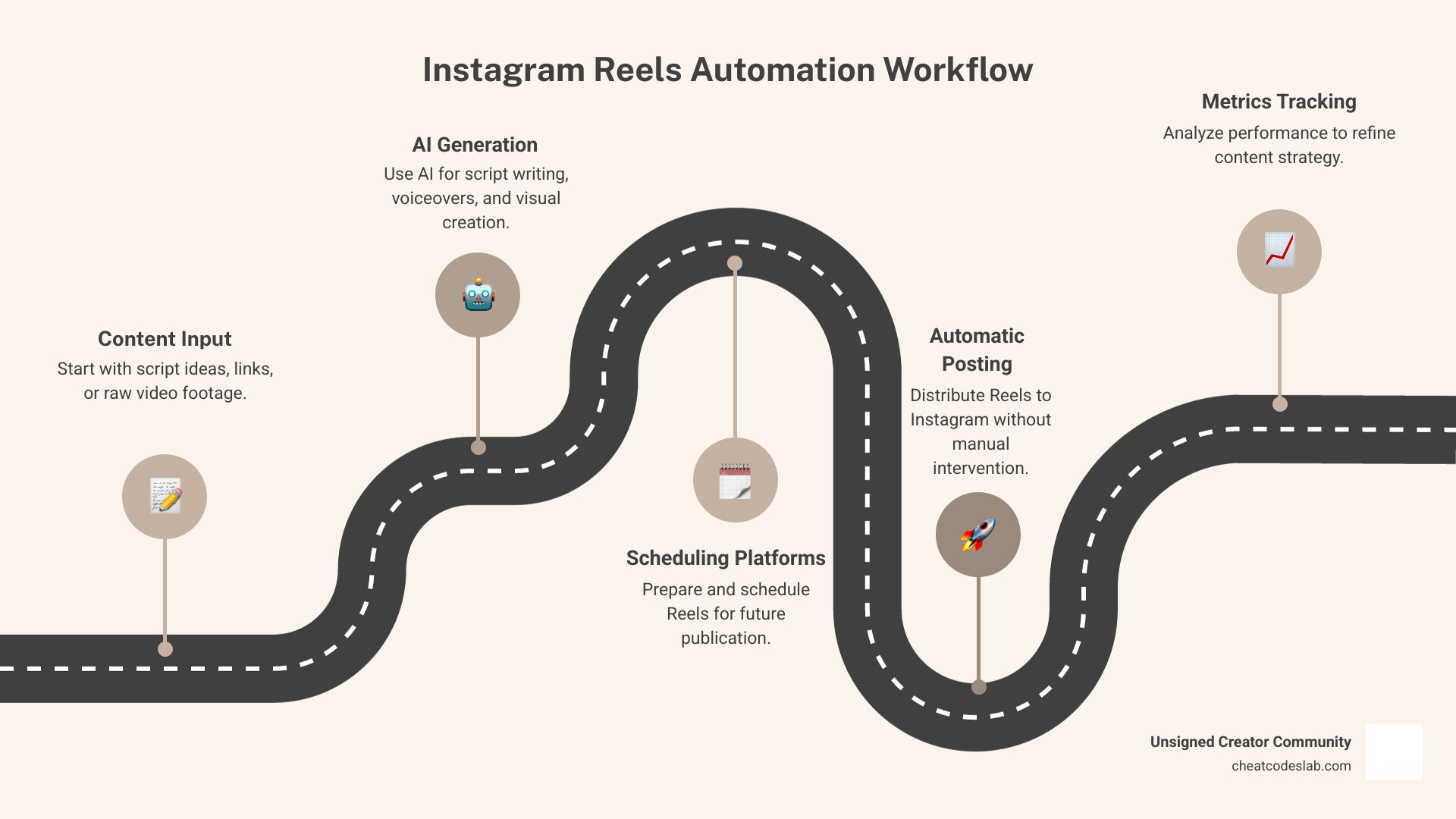
Basic instagram automatic reels terms:
The Complete Guide to Instagram Automatic Reels
This guide explores instagram automatic reels, from Instagram’s native features to the AI tools that can transform your content creation process. Our goal is to empower you to work smarter, not harder, for a consistent and effective Instagram presence.
Leveraging Instagram’s Built-In Automation & Viewing Features
Before diving into advanced AI, let’s cover the powerful automation features Instagram itself offers. These native tools are your first line of defense against content burnout.
The New Instagram Reels Auto-Scroll Feature
Instagram is testing an auto-scroll feature that allows users to watch Reels continuously without manual swiping, similar to TikTok’s feed. While this can create a more seamless viewing experience, it may also lead to more passive consumption, potentially reducing engagement per Reel. As this feature rolls out, creators will need to monitor its impact on views versus active engagement like comments and shares.
Scheduling Posts and Reels on Instagram
Consistency is key, and Instagram’s native scheduling tool is a massive help. It allows you to plan your content, save time, and maintain a steady presence.
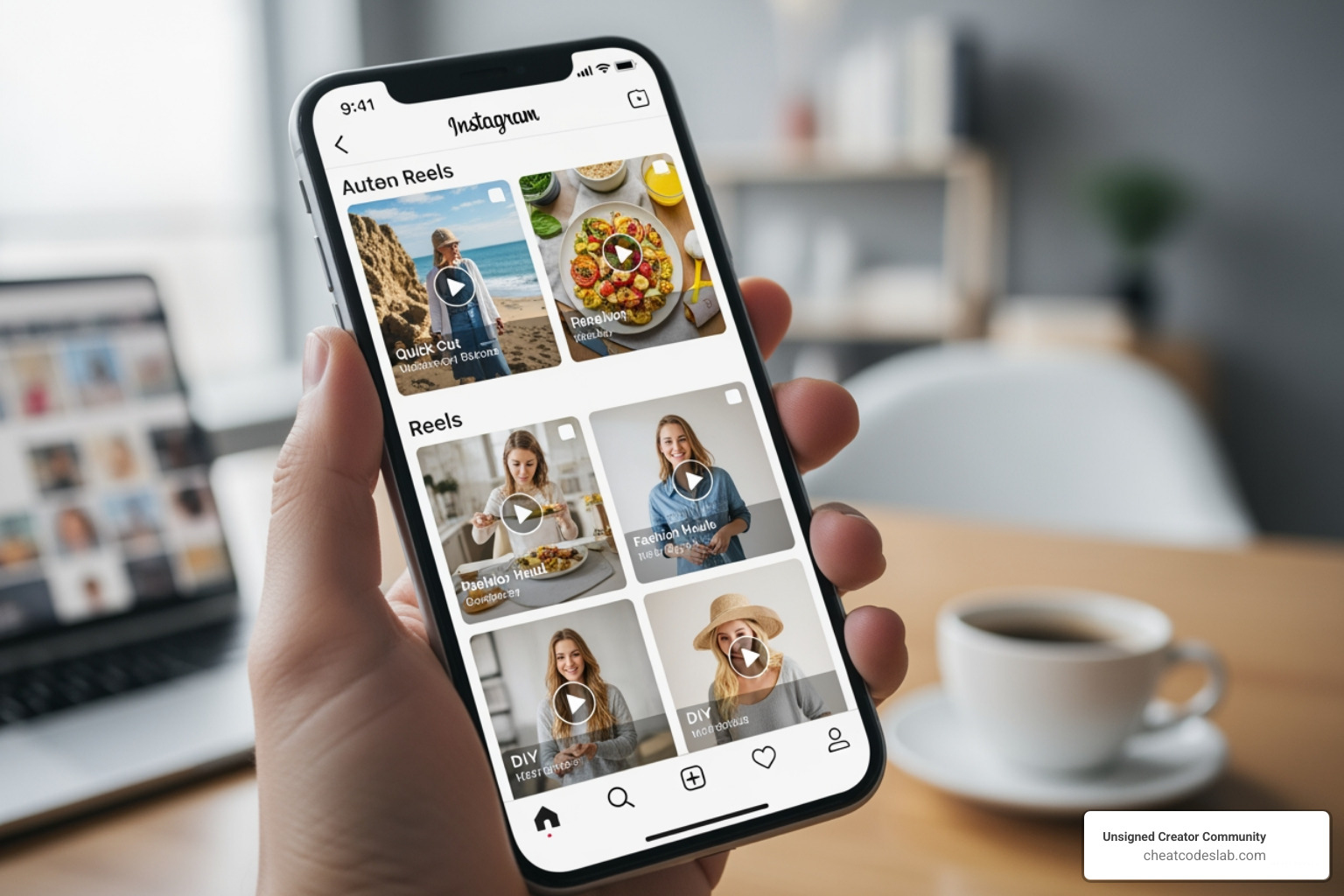
How to Schedule:
- Tap the Create (+) icon and select Post or Reel.
- Choose your media and add effects, filters, and audio. Tap Next.
- Write your caption and add tags.
- Tap Advanced settings (iOS) or More options (Android).
- Toggle on “Schedule this post”.
- Select a date and time (up to 75 days in advance).
- Tap Done, go back, and tap Schedule to confirm.
Requirements and Limitations:
- You must have a professional account (Creator or Business).
- You can schedule up to 25 posts per day.
- Certain features like product tags, Collabs, and sponsored posts are not compatible with scheduled content.
To manage your queue, go to your profile menu and select Scheduled content.
Trial Reels: Your Content Testing Ground
Instagram’s “Trial Reels” feature lets you test new content ideas on a non-follower audience first. This is a great way to experiment without risking engagement with your main audience.
How to Use Them:
- Create your Reel as usual.
- Before sharing, toggle on the “Trial” option.
- Instagram will show the Reel to non-followers and gather performance data.
- If the trial performs well, you can share it with your followers manually or set it to share automatically if it meets certain performance criteria.
This feature helps you make data-driven decisions, ensuring you share content that has already proven its potential.
How to Create Instagram Automatic Reels with AI
Leveraging Artificial Intelligence to automate Reel creation is a game-changer. AI increases efficiency, ensures consistency, and allows you to scale production, freeing you to focus on strategy.
AI can generate scripts, voiceovers, and visuals in minutes, helping you maintain a consistent brand voice and scale your output without a massive team. Some tools even offer predictive scores to help you identify content with viral potential before publishing.
Different Methods for Automating Reels Creation
There are several ways to automate your Reels, depending on your technical comfort level:
- Bulk Generation Spreadsheet: The simplest method. Populate a spreadsheet with text and media links, and use an automation tool to generate many videos at once.
- No-Code Platforms: These platforms let you build powerful workflows without coding. They use a trigger-and-action system to connect different apps and automate tasks, including direct posting to Instagram for Business accounts.
- API Integration: For those with coding skills, a REST API offers maximum control. You can programmatically generate and manage Reels for a highly customized solution.
How AI Tools Create Reels: Templates, Scripts, Voiceovers, and Visuals
AI-powered creation starts with a template. You design a video layout with placeholders for dynamic content like text and visuals. Many AI video tools allow you to upload a brand kit (fonts, colors, logos) to ensure consistency.
From there, AI can:
- Generate Scripts: Tools like ChatGPT can turn a topic, keyword, or article into a concise Reel script.
- Create Voiceovers: AI text-to-speech engines can convert your script into a realistic voiceover in various languages and tones.
- Produce Visuals: AI can generate images from text prompts using models like DALL-E or pull from vast stock media libraries to find relevant B-roll for your video.
By combining these elements, AI can create a complete, ready-to-post Reel from a simple prompt.
Setting Up Your Instagram Automatic Reels Workflow
Building an automated workflow involves connecting different tools to perform a sequence of actions. No-code platforms are excellent for this, as they provide a visual way to build these connections.
A Conceptual Automated Workflow
Imagine a workflow that automatically turns a new video file into a finished Instagram Reel. Here’s a conceptual overview:
- Trigger: New Content Detected. The workflow starts when a new file (e.g., a video) is added to a designated source, like a specific cloud storage folder.
- Action: Process Media. The system prepares the media. This might involve downloading the file and converting it to different formats, such as extracting the audio into an MP3 for transcription.
- Action: Generate Content with AI. The audio file is sent to an AI service like OpenAI to be transcribed. This text is then used in a new prompt to generate an engaging caption and relevant hashtags.
- Action: Post to Instagram. The final step uses the Instagram for Business API to post the original video along with the AI-generated caption and hashtags directly to your profile as a Reel.
- Action: Organize. To prevent duplicates, the original file is moved to an archive folder, marking it as processed.
Setting Up Your Workflow:
- Account Setup: Ensure you have a professional Instagram account and any necessary accounts for third-party services.
- Data Source: Decide where your input content will come from (e.g., a spreadsheet, an RSS feed, a cloud folder).
- Build the Scenario: Use a no-code platform to link your chosen services in a logical sequence.
- Test: Run the workflow with sample data to ensure each step works correctly.
- Schedule: Set your workflow to run automatically at your desired frequency.
Best Practices for Engaging Automated Content
Automation is a tool; quality is still paramount. For your instagram automatic reels to succeed, they must be engaging.
- Quality Over Quantity: Automation enables volume, but value is what earns engagement. Ensure every Reel is entertaining, educational, or inspiring.
- Thoughtful Template Design: Use visually appealing, on-brand templates optimized for the 9:16 mobile format. A strong template is designed for engagement.
- Maintain Brand Consistency: Use a brand kit within your AI tools to ensure every Reel reflects your brand’s look and feel.
- Inject a Human Touch: Review and tweak AI-generated scripts to match your unique voice. Respond to comments manually to foster community.
- Stay on Top of Trends: Use AI to help identify trending audio and formats, but apply them in a way that feels authentic to your brand.
- Craft Engaging Hooks: The first three seconds are critical. Use AI to brainstorm compelling hooks for your captions and visuals.
- Include Clear Calls-to-Action (CTAs): Tell your audience what to do next, whether it’s visiting your link in bio, commenting, or sharing.
- Iterate and Test: Use AI’s speed to create multiple versions of a Reel to A/B test different hooks, visuals, or CTAs to see what performs best.
Measuring Success and The Future of Reel Automation
Tracking the performance of your instagram automatic reels is crucial for refining your strategy.
Performance Tracking and Key Metrics
Monitor your data to understand what’s working. Key metrics include:
- Engagement: Likes, comments, shares, and saves.
- Reach and Impressions: How many unique accounts saw your Reel and the total number of views.
- Follower Growth: Whether your automated content is attracting new followers.
- Watch Time: The average duration people watch your Reels.
Tools for Measurement:
- Instagram Insights: Use Instagram’s native analytics to View Insights on Your Instagram Posts and Reels.
- Third-Party Analytics: Many social media management platforms and AI tools offer more comprehensive dashboards and reporting features.
Future Trends and Possibilities for AI-Powered Instagram Automation
The world of AI is evolving rapidly. Soon, we can expect:
- Hyper-Personalized Content: AI that creates Reels custom to specific audience segments.
- Real-Time Trend Adaptation: Systems that automatically identify and create content around emerging micro-trends.
- Seamless Cross-Platform Optimization: Workflows that create and optimize content for Instagram, TikTok, and YouTube Shorts simultaneously.
- Advanced Performance Prediction: More accurate AI models that predict a Reel’s potential for virality before you post.
The future of content creation is less about manual labor and more about intelligent orchestration. AI will be your co-pilot, helping you steer social media with greater efficiency and creativity.
Conclusion
We’ve covered how instagram automatic reels can revolutionize your content strategy. The key takeaway is this: automation is not about removing the human element, but about reclaiming your time to focus on what truly matters—strategy and audience connection.
Instagram’s native features, like scheduling and Trial Reels, provide a powerful starting point for working smarter. When you layer in AI-powered automation, you open up the ability to generate scripts, voiceovers, visuals, and captions in minutes, not hours. What once required a team can now be managed by a single creator with a smart system.
But remember, the most successful automated content still feels authentic. Your strategy, brand voice, and understanding of your audience are irreplaceable. AI is your assistant, not your replacement.
At CheatCodesLab, we are passionate about empowering creators with certified AI tools and strategies that deliver results. The right automation setup can free up dozens of hours each week, allowing you to grow without burning out. That’s not just efficiency; it’s freedom.
The future of content creation is here. It’s intelligent, scalable, and built for creators who want to spend less time on repetitive tasks and more time on growth. Start with Instagram’s native tools and gradually incorporate AI into your workflow. You’ll soon wonder how you ever managed without it.
Explore more creator apps and tools to continue building your automated content empire. Your future self will thank you.


About the author

How to Archive Posts on Instagram in 4 Easy Steps
Master archiving on Instagram in 4 easy steps to organize your profile and protect your content.

Beginner’s Guide to 10k free instagram followers app
Discover how a 10k free instagram followers app works, its risks, and safe organic growth strategies for real engagement in 2026.
Beginner’s Guide to Best Instagram Report App
Discover the best Instagram report app for real-time analytics, automated reports, and data-driven decisions in 2026.
How to Master Advanced SEO Search Techniques in 7 Steps
Master advanced search techniques in SEO with 7 proven steps to boost rankings, technical audits, and organic traffic.

Cheat Sheet to the Best Business Apps
Discover the best business apps to streamline operations, boost productivity, and scale your business in 2026.

How to Get Instagram Followers Free APK in 5 Steps
Discover how instagram followers free apk 2026 download works and learn safe organic growth strategies instead of risky third-party tools.
Related
How to Archive Posts on Instagram in 4 Easy Steps
Master archiving on Instagram in 4 easy steps to organize your profile and protect your content.
Beginner’s Guide to Best Search Engine Optimization SEO
Master best search engine optimization SEO with this beginner's guide covering on-page, technical, and AI strategies for higher rankings.

Ultimate Checklist for Social Media Marketing Agency
Discover the ultimate checklist for choosing a social media marketing agency that drives real ROI and growth.

Hot Summer Caption Ideas That Spark Engagement
Discover hot summer caption ideas that boost engagement, from short aesthetic lines to funny unhinged vibes and beach photo dumps.

How to Add Text to Instagram Story in 5 Easy Steps
Learn how to add text to Instagram Story in 5 easy steps with our native tips and creative text hacks for better engagement.

How to Add Audio to Instagram Story the Right Way
Learn how to add audio clip in Instagram Story using built-in music or your own file with this step-by-step guide.
