


Tune In: The Ultimate Guide to Adding Music to Your Instagram Story
Why Add Music to Your Instagram Story?
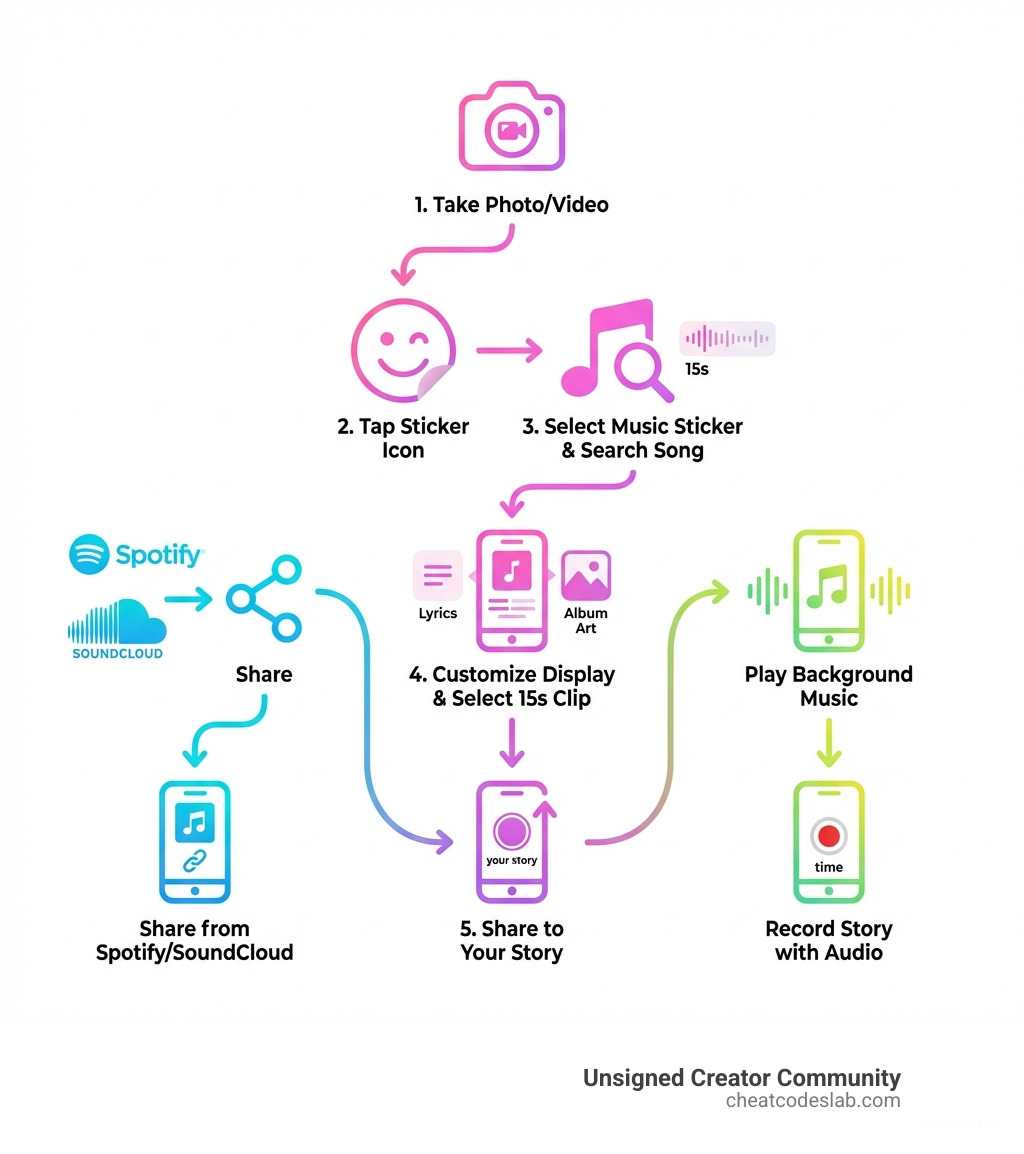
Add song in Instagram story using these three simple methods:
- Music Sticker (Built-in) – Tap the sticker icon in Instagram Stories, select Music, search for a song, and choose a 15-second clip
- Share from Streaming Apps – Use Spotify, SoundCloud, or Shazam’s “Share to Instagram Story” feature to add cover art and song links
- Record with Audio – Play music from any app and record your story while the song plays in the background
Music transforms your Instagram Stories from simple snapshots into engaging experiences. With 400 million people using Stories daily, the right soundtrack helps your content stand out and connect with your audience.
The music feature provides a massive library of licensed songs with customizable snippets and animated lyrics. The right song can amplify your message and boost engagement, but mastering the feature is key to creating a story that resonates with your followers.
As a content strategist who has generated over a billion social media views, I’ve mastered how to add song in Instagram story for maximum impact. This guide will walk you through everything you need to know to make your stories sound as good as they look.
Similar topics to add song in instagram story:
How to Add a Song in an Instagram Story: The Complete Guide
Adding music to your Instagram Story is a fantastic way to lift your content. We’ll dive into the most effective methods to add song in Instagram story like a pro.
Using the Music Sticker to Add a Song in an Instagram Story
This is Instagram’s native and most popular method. It’s user-friendly, highly customizable, and gives you access to an extensive music library.
1. Create and Prepare Your Story: Open the Stories camera by swiping right from your feed. Capture a new photo or video, or select one from your gallery.
2. Add the Music Sticker: Tap the sticker icon (a square smiley face) at the top of the screen. Select the “Music” sticker from the tray to open Instagram’s music library. This music sticker is your gateway to a world of sound.
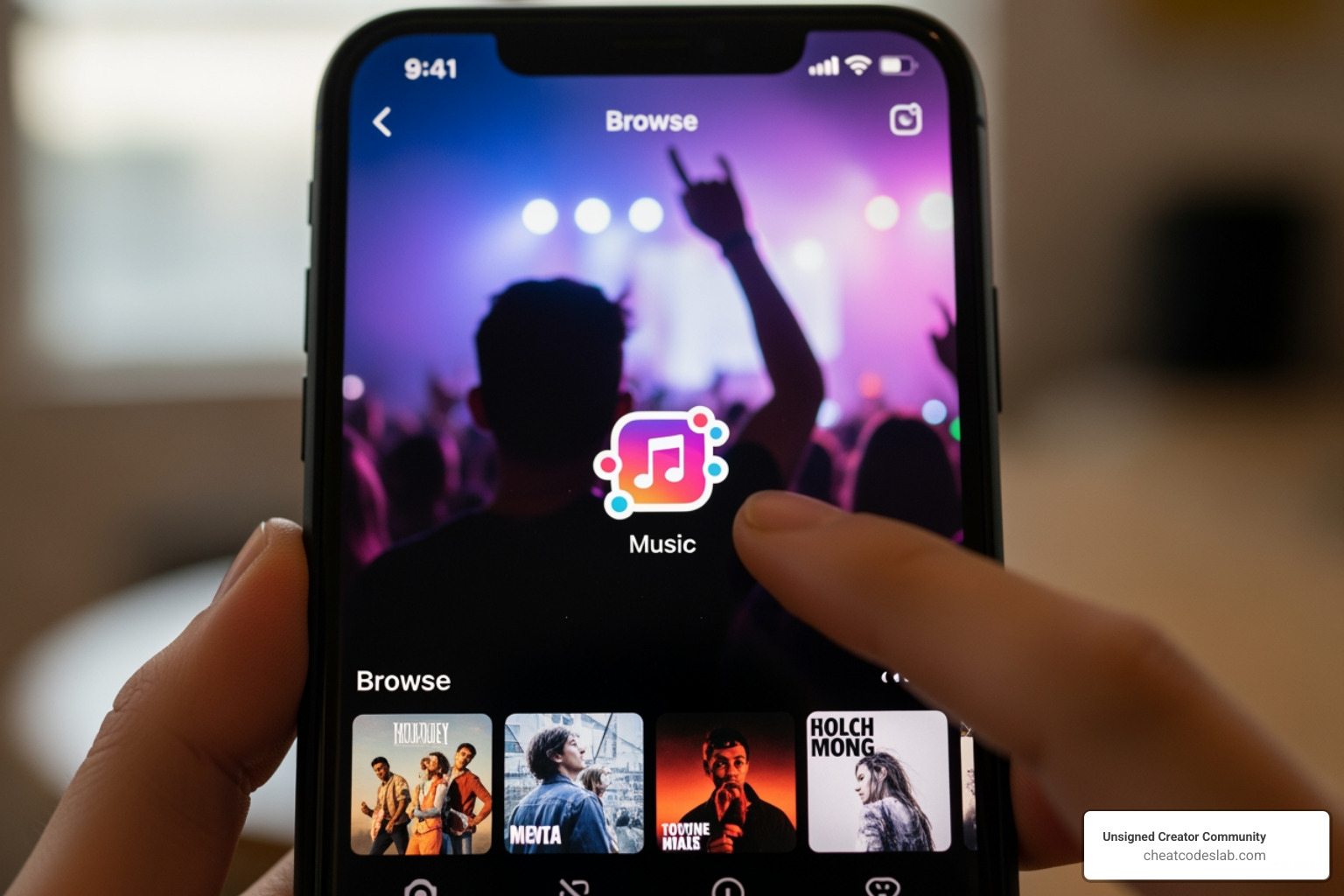
3. Find and Select Your Song: Search for a specific track or browse by mood, genre, or what’s trending. Tap the play button to preview a song before selecting it.
4. Customize the Clip and Display: Once you select a song, a timeline scrubber will appear.
- Select a Snippet: Drag the scrubber to choose the perfect 15-second (or shorter) clip. Focus on the most impactful part of the song.
- Choose a Style: Above the scrubber, you’ll find display options. You can show animated lyrics, the album art, or a simple text sticker.
- Customize Appearance: Tap the color wheel to change the color of your lyrics or sticker. You can also pinch to resize and drag to reposition the sticker on your screen.
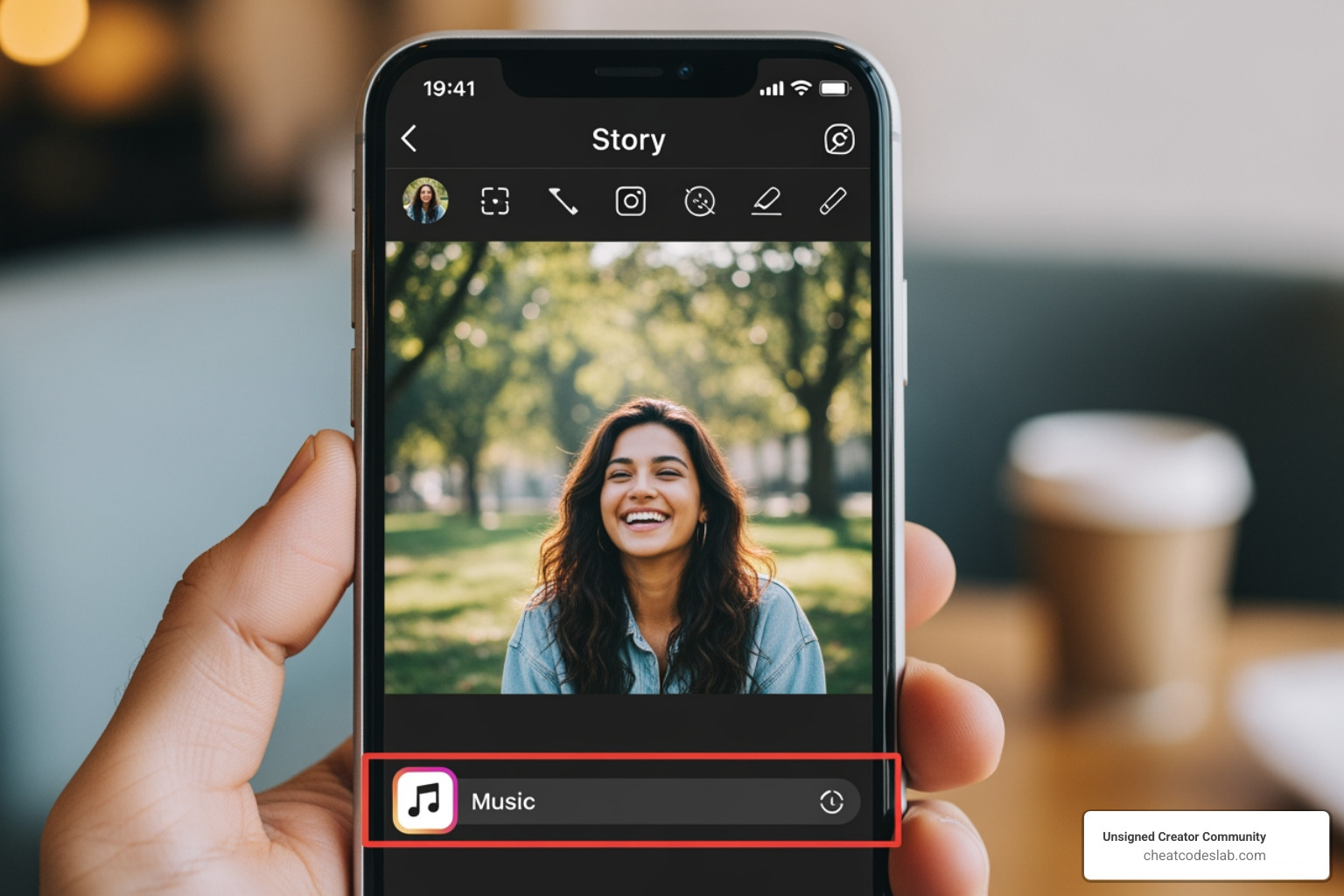
5. Share Your Story: After customizing, tap “Done.” Add any other elements you want, then tap “Your Story” to publish.
Sharing from Music Streaming Apps
You can also share music directly from apps like Spotify, SoundCloud, or Shazam. This method adds the song’s cover art and a “Play on…” link to your Story, but the music will not play automatically. Viewers must tap the link to listen.
The process is similar for most apps:
- Find the song, album, or playlist you want to share in the streaming app.
- Tap the “Share” option (often a “…” or arrow icon).
- Select “Instagram Stories” from the sharing menu.
- The app will create a Story draft with the song’s artwork and a link. Customize it with stickers or text, then post.
Key Difference: Use the Instagram Music Sticker for an in-app soundtrack. Share from a streaming app to recommend a song and drive traffic to that platform.
Advanced Tips and Troubleshooting
Even with the best intentions, sometimes things don’t go as planned when trying to add song in Instagram story. This section covers common issues, artist-specific guidance, and important limitations to keep in mind.
What to Do if You Can’t Add a Song to Your Instagram Story
It’s frustrating when the music feature doesn’t work. Here are common reasons and solutions.
1. Why the Music Sticker is Missing:
- Geographic Restrictions: Due to Instagram’s licensing agreements, the feature is only available in about 90 countries.
- Outdated App: Ensure your Instagram app is updated to the latest version.
- Business Account Limitations: Business accounts often have a limited library of royalty-free music due to stricter commercial licensing rules.
- Branded Content: Instagram’s policies state that music and some other features are not allowed in branded content ads.
2. Workaround: Record with Background Audio If the sticker is unavailable, play music from any app on your phone and simply record your Instagram Story video. The audio quality won’t be perfect, and you won’t get lyrics, but it’s an effective workaround.
3. Specific Song Not Available: If you can’t find a song, it’s likely due to licensing issues. Instagram may not have the rights to that specific track.
For Artists: Getting Your Music and Lyrics on Instagram
For artists, getting your music on Instagram is a powerful promotional tool.
1. Getting Your Music into Instagram’s Library: You must use a digital music distributor that partners with Meta (Instagram’s parent company). When you upload your tracks, ensure you select distribution to Instagram and Facebook. It may take several weeks for your music to appear in the library. Once live, encourage your fans to use it, which is great for branding for artists.
2. Getting Your Lyrics on Instagram with Musixmatch: Instagram sources its animated lyrics from Musixmatch, the world’s largest lyrics catalog. To get your lyrics featured:
- Become a Verified Artist: Sign up on Musixmatch and verify your artist profile.
- Add and Sync Lyrics: Once verified, you can add and time-sync your lyrics directly on the Musixmatch platform.
Properly synced lyrics make your music more findable and engaging, a vital part of any personal branding content creator strategy.
Understanding Music Limitations and Best Practices
To avoid issues and maximize impact, it’s important to understand the rules and best practices for using music.
1. Copyright Laws and Licensing Agreements: The availability of music is governed by complex Instagram’s licensing agreements. These agreements dictate which songs are available, where, and for which account types. Using copyrighted music improperly, especially for commercial use, can result in your Story being muted or removed.
2. The Power of Royalty-Free Music: For businesses and promotional content, royalty-free music is a safer and more reliable option. It’s licensed for commercial use and is accessible globally, bypassing Instagram’s regional restrictions.
3. Best Practices for Adding Music:
- Match the Mood: Choose music that complements your visual content and the desired emotion.
- Use the Hook: With only 15 seconds, select the most recognizable part of the song.
- Create Visual Harmony: Customize the sticker’s style to match your Story’s aesthetic.
- Follow Trends: Using trending sounds can boost your Story’s visibility and engagement.
- Call to Action (for Artists): If it’s your own music, encourage viewers to listen to the full track.
Integrating music effectively is a key part of a strong content creation workflow.
Looking to improve your creative toolkit further? Explore more creator apps and find certified AI tools and cheat codes for content marketing and SEO. We specialize in providing top-tier solutions for online creators and agencies, helping you streamline your processes and amplify your online presence.


About the author

How to Archive Posts on Instagram in 4 Easy Steps
Master archiving on Instagram in 4 easy steps to organize your profile and protect your content.

Beginner’s Guide to 10k free instagram followers app
Discover how a 10k free instagram followers app works, its risks, and safe organic growth strategies for real engagement in 2026.
Beginner’s Guide to Best Instagram Report App
Discover the best Instagram report app for real-time analytics, automated reports, and data-driven decisions in 2026.
How to Master Advanced SEO Search Techniques in 7 Steps
Master advanced search techniques in SEO with 7 proven steps to boost rankings, technical audits, and organic traffic.

Cheat Sheet to the Best Business Apps
Discover the best business apps to streamline operations, boost productivity, and scale your business in 2026.

How to Get Instagram Followers Free APK in 5 Steps
Discover how instagram followers free apk 2026 download works and learn safe organic growth strategies instead of risky third-party tools.
Related
How to Archive Posts on Instagram in 4 Easy Steps
Master archiving on Instagram in 4 easy steps to organize your profile and protect your content.

Beginner’s Guide to Best Search Engine Optimization SEO
Master best search engine optimization SEO with this beginner's guide covering on-page, technical, and AI strategies for higher rankings.

Ultimate Checklist for Social Media Marketing Agency
Discover the ultimate checklist for choosing a social media marketing agency that drives real ROI and growth.

Hot Summer Caption Ideas That Spark Engagement
Discover hot summer caption ideas that boost engagement, from short aesthetic lines to funny unhinged vibes and beach photo dumps.

How to Add Text to Instagram Story in 5 Easy Steps
Learn how to add text to Instagram Story in 5 easy steps with our native tips and creative text hacks for better engagement.

How to Add Audio to Instagram Story the Right Way
Learn how to add audio clip in Instagram Story using built-in music or your own file with this step-by-step guide.
