

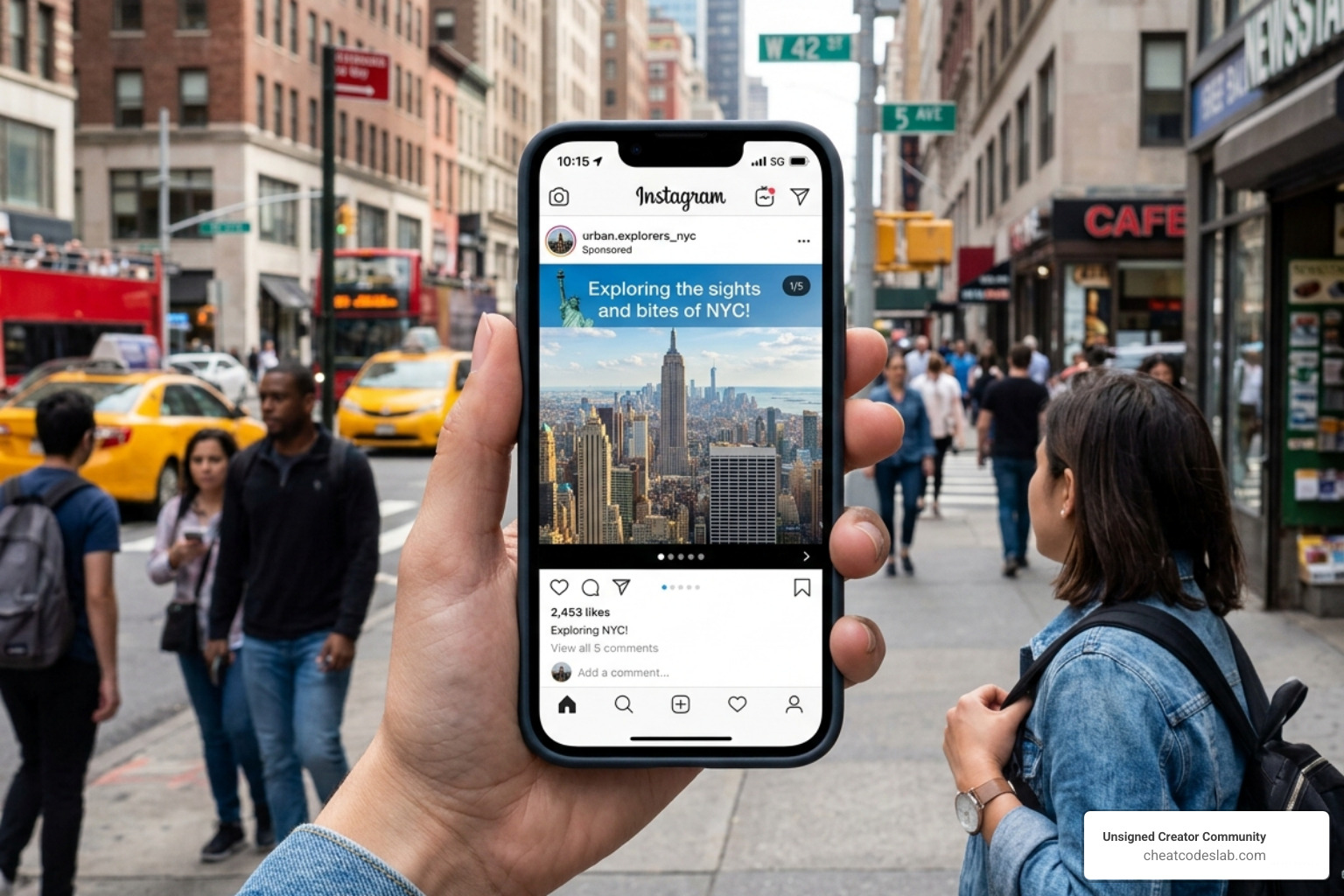

The Power of Carousel Posts on Instagram Explained
What Are Carousel Posts on Instagram (And Why They Matter in 2026)
Carousel posts on Instagram are single feed posts that contain multiple photos, videos, or a mix of both — up to 20 slides — that viewers swipe through horizontally.
Here’s a quick breakdown:
| Feature | Detail |
|---|---|
| Max slides | 20 images or videos |
| Swipe direction | Horizontal |
| Content types | Photos, videos, or mixed |
| Avg. engagement rate | 1.92% (vs. 0.50% for Reels) |
| Best performing format | Mixed media carousels (2.33% engagement) |
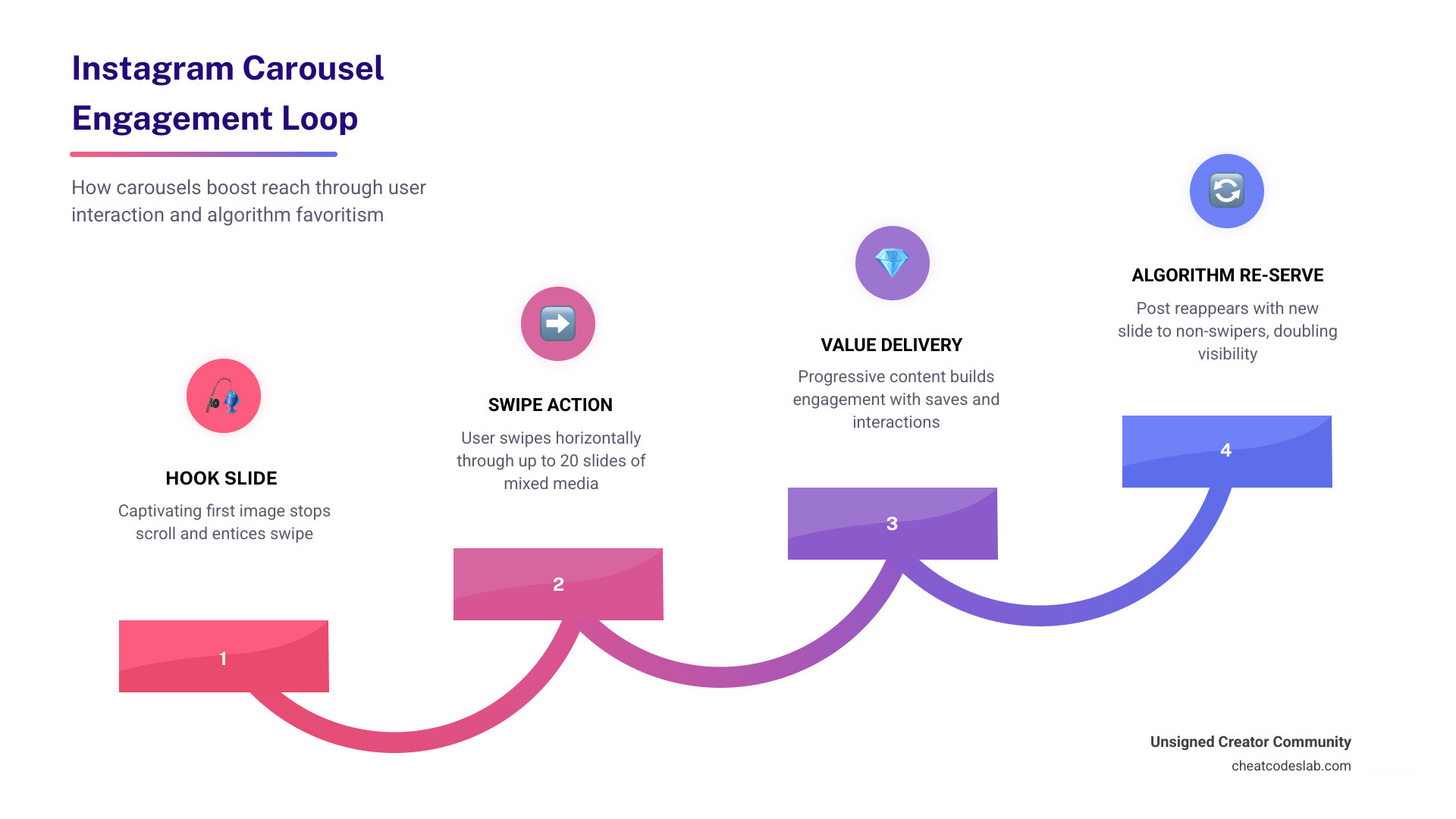
| Algorithm advantage | Re-served to users who didn’t swipe, using a different slide |
Carousels consistently outperform every other post format on Instagram. They get 2x more engagement than single images, drive higher save rates, and get a second shot at visibility when Instagram re-serves them with a different cover slide to users who scrolled past.
In short: if you’re creating content on Instagram in 2026 and not using carousels, you’re leaving reach on the table.
This guide covers everything — from specs and structure to scheduling, strategy, and the latest platform updates.
I’m digitaljeff — content strategist, tech entrepreneur, and founder of CheatCodesLab, with over a billion social media views generated in the last 12 months across the brands and creators I work with. My deep experience building content distribution strategies across emerging platforms, including mastering carousel posts on Instagram, is what this guide is built on. Let’s get into it.
Carousel posts on instagram terms to learn:
Mastering Carousel Posts on Instagram for Maximum Reach
When we talk about “winning” on social media in 2026, we are really talking about winning over the algorithm. The Instagram algorithm has a particular soft spot for carousel posts on instagram. Why? Because they are built to keep users on the platform longer.

The “Double Exposure” Advantage
One of the coolest things about carousels is what we call “double exposure.” If a follower scrolls past your carousel without swiping, Instagram often gives you a second chance. The next time that user opens their app, the algorithm may show them your post again, but this time it leads with the second or third slide. This effectively doubles your chances of getting a “like” or a “save” from the same piece of content.
Dwell Time and Interaction Signals
Instagram tracks “dwell time”—the amount of time a user spends looking at your post. Because a carousel requires swiping through multiple slides, it naturally increases dwell time compared to a single static image. Every swipe is registered as an active interaction, signaling to the algorithm that your content is high-quality and worth showing to more people.
According to research on carousel engagement, carousels achieve a higher average engagement rate (1.92%) than Reels (0.50%). When you mix photos and videos within the same carousel, that rate jumps even higher to 2.33%. In the 2026 reach benchmarks, carousels are the undisputed heavyweight champion for organic growth.
Technical Specifications for Carousel Posts on Instagram
Before you start designing, you need to know the “rules of the road.” Nothing ruins a beautiful set of slides faster than awkward cropping.
Aspect Ratio and Dimensions
While you can use square (1:1) or landscape (1.91:1) formats, we strongly recommend the 4:5 Portrait ratio (1080 x 1350 pixels). Why? Because it takes up 23% more screen real estate on a mobile device. More screen space equals more attention.
Crucial Note: All slides in your carousel will inherit the aspect ratio of the first slide. If your first image is a square, Instagram will force all subsequent slides into a square crop. Consistency is key from the very first tap.
The 20-Slide Limit
As of the latest updates in 2026, you can now include up to 20 images or videos in a single post. While you can go that high, data suggests that 7–10 slides is the “sweet spot” for educational content, while 3–5 slides work best for lifestyle “photo dumps.”
For a deeper dive into creating these, check out this How to Create Seamless Instagram Carousel Posts (2026 Guide).
Creative Strategies and Content Ideas
So, what should you actually put in your carousel posts on instagram? Here are some proven winners:
- Educational Step-by-Step Tutorials: Break down a complex topic into one bite-sized tip per slide. This is a “save” magnet.
- The Transformation (Before-and-After): Start with the finished result to hook them, then swipe through the “messy middle” to the “before” shot.
- Product Showcases: Instead of one photo of a product, show it from multiple angles, show someone using it, and finish with a slide of customer reviews.
- User-Generated Content (UGC): Curate photos from your community. It builds trust and makes your followers feel like stars.
- Behind-the-Scenes: Take people through a “day in the life” or the process of creating your latest project.
If you’re looking for the right tools to build these, our list of the carousel app for instagram which one should you choose will help you find the perfect design partner.
Structuring Your Carousel Posts on Instagram for Success
A great carousel isn’t just a pile of photos; it’s a story. We like to use a specific 10-slide storyboard structure to ensure maximum engagement.
Slide 1: The Hook
This is your “billboard.” It needs a punchy headline and a visually arresting image. Its only job is to make the user stop scrolling and swipe left. Use tension, a bold promise, or a provocative question.
Slides 2-9: The Substance
This is where you deliver the goods. Keep text minimal (30–40 words max per slide) and use a font size of at least 24pt for readability. Use progression indicators (like “3/10”) so users know how far they are in the journey.
Slide 10: The CTA (Call to Action)
Don’t just let the story end. Tell them exactly what to do next. “Save this for later,” “Share with a friend,” or “Click the link in bio.”
| Metric | Single Image | Carousel Post |
|---|---|---|
| Engagement Rate | ~0.45% | ~1.92% |
| Save Rate | Low | High |
| Dwell Time | 1-2 Seconds | 15-25 Seconds |
| Reach (Algorithm) | Single Chance | Double Exposure |
Advanced Features and Optimization Tips
Instagram has introduced some game-changing updates recently that make managing carousel posts on instagram much easier.
Reordering Slides After Publishing
Gone are the days when a typo on slide three meant you had to delete the whole post and re-upload. You can now reorder your slides after publishing. Simply go to “Edit,” then long-press and drag the photos or videos into a new order. This is a lifesaver for fixing narrative flow or testing which cover slide performs better.
Visual Hierarchy and Aesthetics
Your profile grid still matters. When choosing your cover slide, ensure it fits the “vibe” of your overall feed. If you want to create those trendy “seamless” carousels where one image seems to bleed into the next, you might want to look at the best instagram collage app to help you slice your images perfectly.
Pro Tip: Use Alt Text. It’s not just for accessibility; it helps Instagram’s AI understand what your post is about, which can improve your visibility in the “Explore” feed.
Scheduling and Automation Workflows
Consistency is the secret sauce of social media. We always recommend batching your content. Instead of making one carousel a day, sit down and design four or five at once.
Using scheduling tools allows you to set your carousel posts on instagram to go live at peak times—typically 9–11 AM or 7–9 PM in your audience’s timezone. Many tools now support “Auto-Publish,” meaning you don’t even have to be on your phone when the post goes live.
For more tips on organizing your content, check out our tag/carousel/ archive for the latest workflow hacks.
Common Mistakes to Avoid
Even the pros slip up. Here’s what to watch out for:
- The “Text Wall”: If a slide looks like a page from a textbook, people will swipe away. Keep it punchy.
- Low-Quality Covers: If the first slide is blurry or boring, no one will ever see the brilliant content on slide five.
- Inconsistent Branding: Use the same two fonts and three colors throughout the carousel to keep it looking professional.
- Missing a CTA: If you don’t ask for the engagement, you probably won’t get it.
- Ignoring Analytics: Check your Instagram Insights. Which slide caused people to drop off? Use that data to make your next post better.
Conclusion and Next Steps
Carousel posts on Instagram are more than just a trend; they are a fundamental shift in how we tell stories and share value online. In the landscape of 2026, where attention is the most valuable currency, carousels give you the best “bang for your buck” by maximizing dwell time and engagement.
At CheatCodesLab, we specialize in providing the certified AI tools and “cheat codes” you need to stay ahead of these platform shifts. Whether you are a solo creator or an agency, mastering these formats is essential for building a community that actually interacts with your brand.
Ready to take your feed to the next level? Elevate your strategy with Instagram Features and start building carousels that don’t just get scrolls—they get results.
Quick Recap for Your Next Post:
- Use a 4:5 ratio for max screen space.
- Write a killer hook on Slide 1.
- Include a clear CTA on the final slide.
- Mix photos and videos for a 2.33% engagement boost.
Now, go get swiping!


About the author

How to Archive Posts on Instagram in 4 Easy Steps
Master archiving on Instagram in 4 easy steps to organize your profile and protect your content.

Beginner’s Guide to 10k free instagram followers app
Discover how a 10k free instagram followers app works, its risks, and safe organic growth strategies for real engagement in 2026.
Beginner’s Guide to Best Instagram Report App
Discover the best Instagram report app for real-time analytics, automated reports, and data-driven decisions in 2026.
How to Master Advanced SEO Search Techniques in 7 Steps
Master advanced search techniques in SEO with 7 proven steps to boost rankings, technical audits, and organic traffic.

Cheat Sheet to the Best Business Apps
Discover the best business apps to streamline operations, boost productivity, and scale your business in 2026.

How to Get Instagram Followers Free APK in 5 Steps
Discover how instagram followers free apk 2026 download works and learn safe organic growth strategies instead of risky third-party tools.
Related
How to Archive Posts on Instagram in 4 Easy Steps
Master archiving on Instagram in 4 easy steps to organize your profile and protect your content.

Beginner’s Guide to Best Search Engine Optimization SEO
Master best search engine optimization SEO with this beginner's guide covering on-page, technical, and AI strategies for higher rankings.

Ultimate Checklist for Social Media Marketing Agency
Discover the ultimate checklist for choosing a social media marketing agency that drives real ROI and growth.

Hot Summer Caption Ideas That Spark Engagement
Discover hot summer caption ideas that boost engagement, from short aesthetic lines to funny unhinged vibes and beach photo dumps.

How to Add Text to Instagram Story in 5 Easy Steps
Learn how to add text to Instagram Story in 5 easy steps with our native tips and creative text hacks for better engagement.

How to Add Audio to Instagram Story the Right Way
Learn how to add audio clip in Instagram Story using built-in music or your own file with this step-by-step guide.
