


Ultimate Guide to Find Unfollowers on Instagram
Why So Many Instagram Users Are Searching for Unfollowers Right Now
Want to find unfollowers on Instagram fast? Here’s the quickest, safest way:
- Go to Instagram Accounts Center > Your information and permissions > Export your information
- Select Followers and Following in JSON format
- Download the ZIP file sent to your email
- Upload the ZIP to a browser-based tool (no password required)
- Instantly see who unfollowed you or doesn’t follow you back
No app download. No password sharing. No risk of getting banned.
Instagram doesn’t send you a notification when someone unfollows you. That means the only way to know for sure is to do the work yourself — and in 2026, the stakes are higher than ever.
Ghost followers hurt your engagement rate. A low engagement ratio signals to the Instagram algorithm that your content isn’t worth pushing. Consider this: 100 likes from 10,000 followers is just 1% engagement, but that same 100 likes from 500 engaged followers is 20%. That difference can make or break your reach.
The problem is that most tools marketed as “unfollower trackers” come with serious risks — from account bans to outright credential theft. Millions of users have downloaded apps that quietly violate Instagram’s terms of service without realizing it.
The good news? There’s a smarter, safer approach — and it doesn’t require handing over your password to anyone.
I’m digitaljeff, a content strategist and tech entrepreneur who has spent 20+ years building and scaling social media brands, generating over 1 billion views in the past 12 months alone — and knowing exactly who to cut from your following list is a core part of any serious strategy to find unfollowers on Instagram and protect your engagement. In this guide, I’ll walk you through every option available in 2026, ranked by safety and effectiveness.
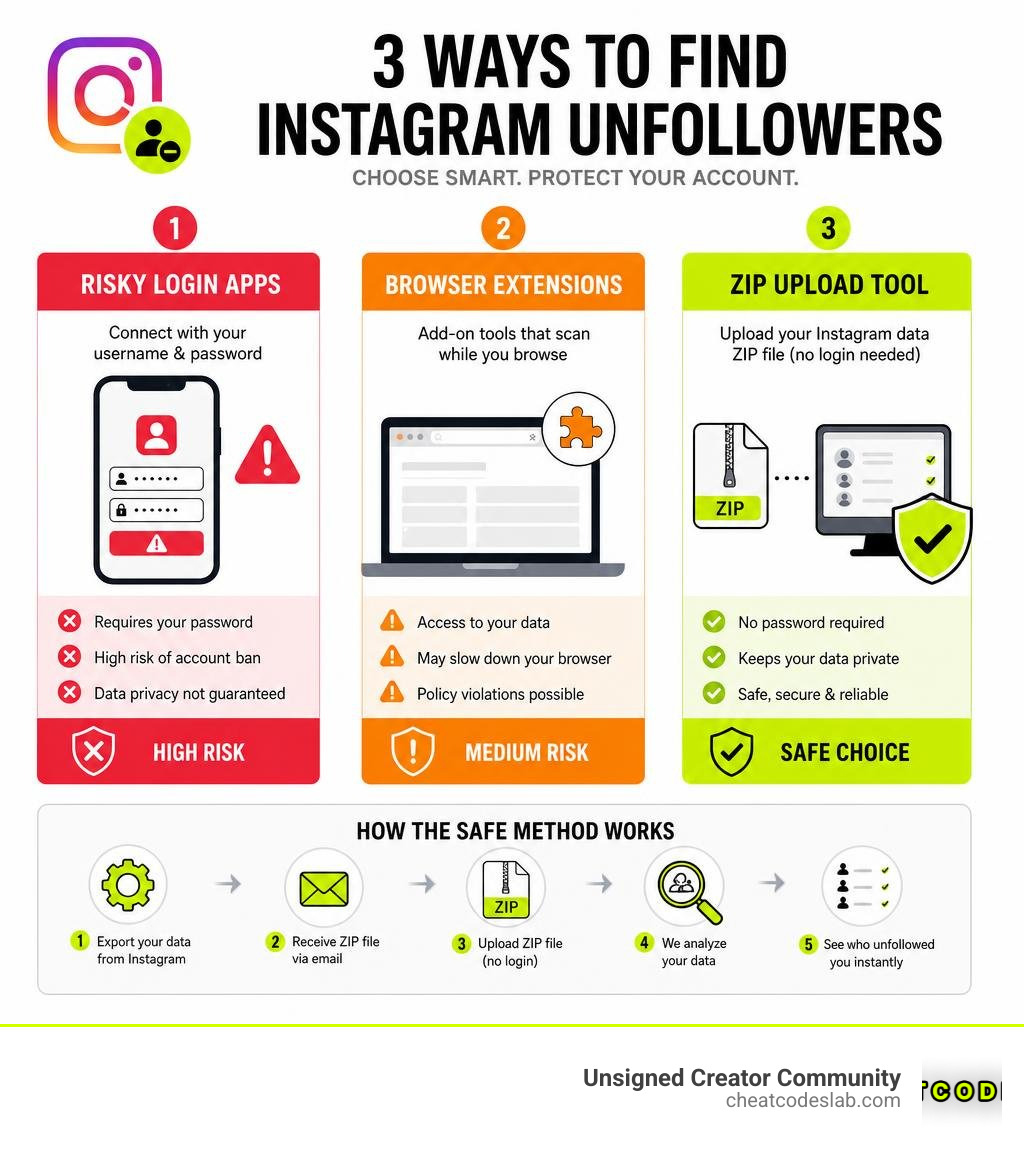
Find unfollowers instagram terms you need:
- Instagram follower growth strategy
- best way to get followers on instagram
- find out who unfollowed you on instagram
How to find unfollowers instagram Safely Without Getting Banned

When we set out to audit our audience, the first instinct is to head to the app store and download a quick tracker. However, we must prioritize account safety. The safest way to find unfollowers on Instagram is to perform a manual audit or use local-processing tools that require zero login credentials.
Using tools that require your username and password or hook directly into the unofficial Instagram API is a fast track to getting your account shadowbanned or permanently suspended. When you share your password, you are exposing your account to credential theft and automated bot actions that violate Instagram’s terms of service.
Instead, we recommend utilizing your GDPR-mandated data rights. By requesting your official data directly from Meta, you can safely analyze your follower list. Because this method relies on files you already own, no external servers see your password, and no unauthorized API calls are made. You can read more about this in our guide on how to Find Out Who Unfollowed You on Instagram.
Why Third-Party Instagram Unfollower Apps Are Risky
Third-party mobile apps are incredibly popular. For instance, the “Followers & Unfollowers” app on Google Play has over 10 million downloads, and “FollowMeter for Instagram” boasts over 5 million users. Despite their popularity, the app store reviews tell a story of constant frustration: broken connections, shadowbans, and compromised accounts.
These apps work by logging into your account via an automated browser session or an unofficial API. From Instagram’s perspective, this looks like a bot operating from an unrecognized device or location. This triggers “Unusual Activity” flags, forcing you to change your password or, worse, locking you out of your account entirely. Additionally, some bad actors use these apps for credential theft, collecting login details under the guise of an analytics service. If you are looking for alternatives, check out our analysis of the Best Instagram Follower Tracker App options.
How to find unfollowers instagram Using the Official ZIP Data Export
If you want to bypass these risks entirely, the secret lies in your official Instagram data export. This is a zero-knowledge method, meaning no third-party server ever sees your login info.
When you request your data, Meta compiles your account history into structured files. By downloading this package, you can upload the ZIP file directly to a local, browser-based tool. These tools run entirely inside your browser using JavaScript to compare your “followers” and “following” lists locally in under a second.
We highly recommend selecting the JSON format instead of HTML when requesting your export. JSON is highly structured, making it much faster and more accurate for local browser parsing tools to read. Best of all, because the tool only reads a file on your local device, it is impossible for Instagram to detect or ban you. For a deeper look, read our step-by-step breakdown on How to See Who Doesn’t Follow You Back on Instagram in 5 Easy Steps.
Step-by-Step Guide to Download Your Instagram Followers and Following Data

Ready to get your clean list? Follow these steps to request your data:
- Open the Instagram app on your mobile device or log in on a desktop browser.
- Navigate to your profile, tap the three horizontal lines in the top right, and open the Accounts Center.
- Scroll down and select Your information and permissions, then click Export your information.
- Choose Download or transfer information. Select your target Instagram account.
- When prompted, select Some of your information (this keeps the file size small and speeds up the process).
- Under the “Connections” category, check the box for Followers and Following.
- Under “Format”, change it from HTML to JSON. Set the media quality to “Low” (we only need text) and date range to “All time”.
- Submit the request.
Meta will compile the data and send a download link to your registered email. Lightweight exports usually arrive in a few minutes, though larger accounts can take up to 48 hours. Once you receive the email, download the ZIP file to your device. You can then drag and drop it into a secure, browser-side tool to find your unfollowers instantly. For more details on safe downloads, view our guide on Instagram Followers App Download.
Comparing Browser Extensions, Login Apps, and Local ZIP Tools
To help you decide which route to take, we have broken down the pros and cons of each method in June 2026:
| Feature/Metric | Login-Based Apps | Browser Extensions | Local ZIP Tools |
|---|---|---|---|
| Password Required? | Yes | No (Uses active browser session) | No |
| Ban Risk | Extremely High | Low to Medium | Zero Risk |
| Setup Time | 1 minute | 2 minutes | 5 – 15 minutes (Waiting for Meta export) |
| Data Storage | External Servers | Local Browser Storage | Runs in local memory only |
| Accuracy | Prone to API disconnects | High | 100% Accurate (Official Data) |
To keep a continuous eye on your metrics without putting your account in danger, you can also set up an Instagram Growth Tracker routine.
How Browser-Based Tools find unfollowers instagram Safely
If you prefer a faster setup than waiting for a ZIP file, browser-based tools and extensions are a solid middle ground. These tools operate within your existing, logged-in Instagram browser session, meaning they do not require you to type your password into a third-party form.
Popular extensions in the Chrome Web Store include:
- Unfolly: Instagram Unfollowers Tracker – Chrome Web Store : Boasting a 5.0 rating from 515 reviews, this tool utilizes measured delays to respect Instagram’s rate limits and stores your analysis locally on your device.
- Follower Analysis for Instagram: Unfollowers – Chrome Web Store : With a 3.9 rating from 513 reviews, it runs local analyses and lets you sort lists easily.
- Unfolks: A lightweight extension with over 10,000 users and a 4.5 rating from 550 reviews.
For the highly tech-savvy, open-source options are even better. The Instagram Unfollowers GitHub repository (created by davidarroyo1234) has 4,390 stars and 394 forks. It runs entirely client-side, allowing you to run the scanning code directly in your browser’s developer console. To learn more about managing your community, explore our resources on Instagram Followers.
Key Features to Look For in an Unfollower Tracker
When choosing a tool to clean up your lists, look for these essential features:
- Whitelists: A whitelist keeps you from accidentally unfollowing your close friends, business partners, or favorite creators.
- CSV Exports: Highly useful for social media managers who need to back up audience lists or analyze growth over time.
- Smart Filters: Filters that let you sort by “mutual followers,” “fans” (people who follow you, but you don’t follow back), and “non-followers.”
- Ghost Follower Detection: Identifies inactive profiles that hurt your engagement rate.
For mobile management, read up on the right Follow and Unfollow App strategies.
How to Avoid Instagram Restrictions and Account Bans While Unfollowing
Once you have identified who doesn’t follow you back, you might be tempted to go on a mass unfollowing spree. Stop right there.
Instagram aggressively monitors rapid actions to prevent spam. If you unfollow 100 people in two minutes, your account will likely trigger an action block, restricting you from liking, commenting, or following for several days.
To keep your account safe, we advise adhering to these strict pacing limits:
- Pace Yourself: Limit your actions to 10 to 20 unfollows per hour.
- Daily Caps: Do not exceed 100 to 150 unfollows per day, especially if your account is relatively new.
- Manual Pacing: Instead of using automated scripts, click through to the user profiles and click “Unfollow” manually. Yes, it takes longer, but it mimics human behavior perfectly and protects your account.
At CheatCodesLab, we help creators build sustainable, automated, and compliant growth strategies. By combining smart manual audits with an optimized Instagram Follower Growth Strategy: How to Win the Gram in 2026, you can keep your engagement rates high and your account completely secure.
For more tips on mastering the Instagram algorithm safely, explore our Tag: Instagram archive or check out our premium tools at CheatCodesLab Instagram Followers.


About the author

How to Archive Posts on Instagram in 4 Easy Steps
Master archiving on Instagram in 4 easy steps to organize your profile and protect your content.

Beginner’s Guide to 10k free instagram followers app
Discover how a 10k free instagram followers app works, its risks, and safe organic growth strategies for real engagement in 2026.
Beginner’s Guide to Best Instagram Report App
Discover the best Instagram report app for real-time analytics, automated reports, and data-driven decisions in 2026.
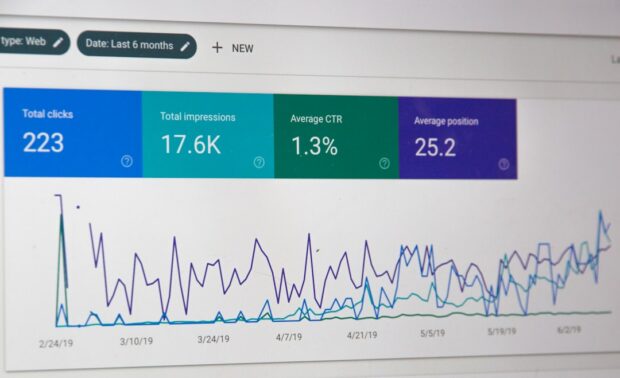
How to Master Advanced SEO Search Techniques in 7 Steps
Master advanced search techniques in SEO with 7 proven steps to boost rankings, technical audits, and organic traffic.

Cheat Sheet to the Best Business Apps
Discover the best business apps to streamline operations, boost productivity, and scale your business in 2026.

How to Get Instagram Followers Free APK in 5 Steps
Discover how instagram followers free apk 2026 download works and learn safe organic growth strategies instead of risky third-party tools.
Related
Beginner’s Guide to 10k free instagram followers app
Discover how a 10k free instagram followers app works, its risks, and safe organic growth strategies for real engagement in 2026.
How to Master Advanced SEO Search Techniques in 7 Steps
Master advanced search techniques in SEO with 7 proven steps to boost rankings, technical audits, and organic traffic.
How to Get Instagram Followers Free APK in 5 Steps
Discover how instagram followers free apk 2026 download works and learn safe organic growth strategies instead of risky third-party tools.

How to Get 500 Instagram Followers Free
Claim your 500 follower instagram free trial safely and grow your account with real engagement.

How to Get 1000 Instagram Followers Fast
Learn how to get 1000 followers instagram fast with proven strategies, Reels, and profile optimization for real growth in 2026.

Step-by-Step Guide to Download Instagram Followers Pro
Learn how to download Instagram Followers Pro on iOS, Android, and PC with this complete step-by-step guide and safety tips.
