



How to Shoot Flambient Real Estate Photography: 3 Pro Tips
Introduction to Flambient Photography
How to Shoot Flambient Real Estate Photography: Quick Steps
- Ambient Shot: Capture the room’s natural light, slightly underexposed to preserve highlights.
- Flash Shot: Use controlled, bounced flash to illuminate the interior and capture true-to-life colors.
- Window Shot: Take a separate, darker exposure for the exterior view through windows.
- Blend in Post-Processing: Combine these exposures in editing software like Photoshop for a balanced, realistic final image.
Mastering how to shoot flambient real estate photography means combining natural ambient light with controlled flash. The term “flambient” itself is a blend of “flash” and “ambient.” This technique merges multiple exposures to create a single, stunning, natural-looking image that captures a property’s essence.
This method solves common real estate photography challenges, like balancing bright windows with dark interiors and correcting color casts. The goal is a vibrant, well-balanced photo that makes a strong first impression, which is crucial since 83% of buyers say pictures are very important in their home search.
Flambient vs. HDR: A Quick Comparison
| Feature | Flambient Photography | HDR Photography (Traditional) |
|---|---|---|
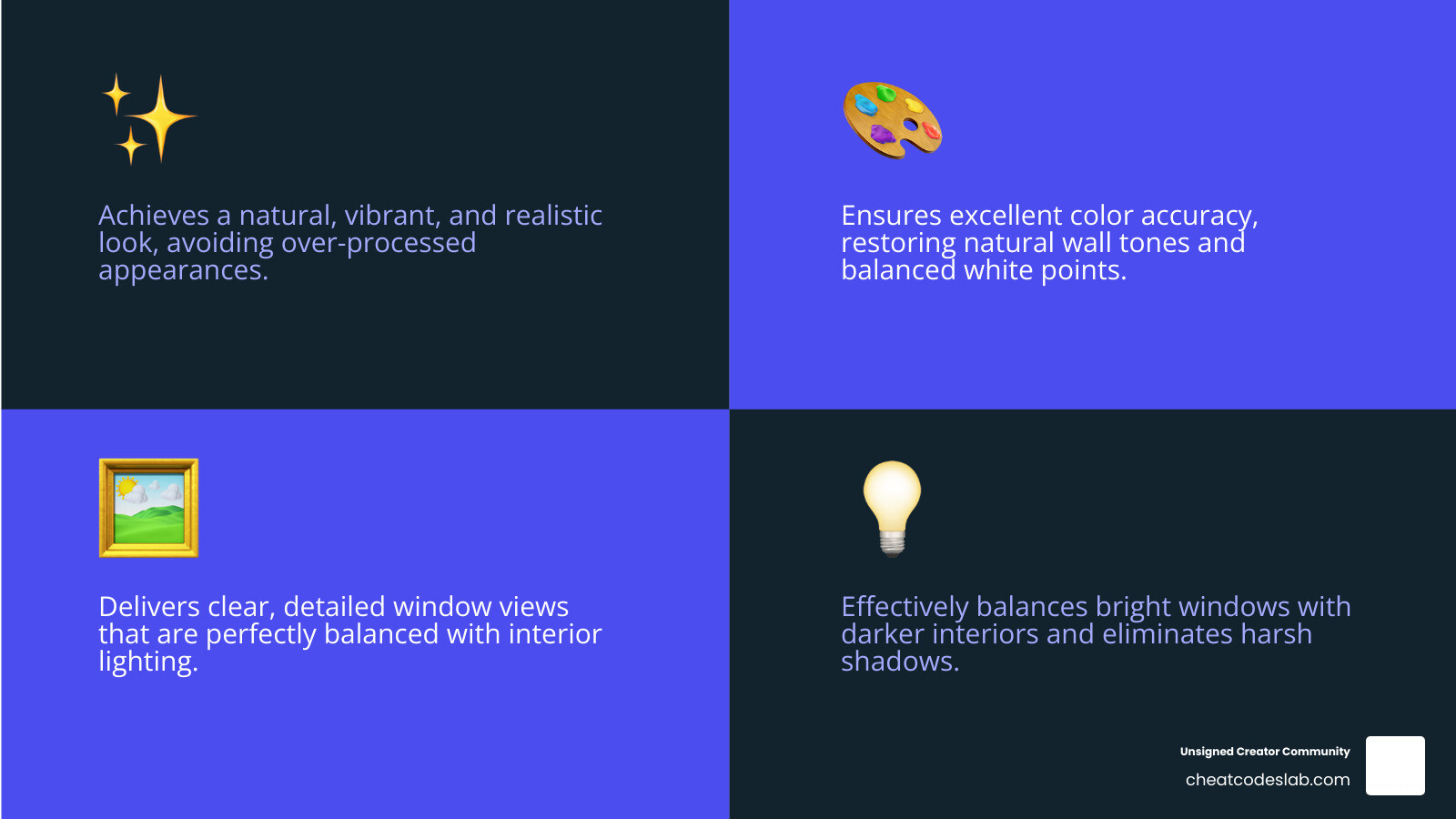
| Overall Look | Natural, balanced, vibrant, realistic representation | Can appear unnatural, over-processed, or “painterly” |
| Color Accuracy | Excellent, restores natural wall colors, accurate white balance | Can sometimes have off white balance and color shifts |
| Window Views | Clear, detailed, balanced with interior, minimal editing for blending | Can be pulled too far beyond reality, leading to unflattering or fake views |
| Editing Control | High degree of control over light and color blending specific elements | Less precise control, often relies on automated blending algorithms |
| Lighting Issues | Effectively balances bright windows with dark interiors, eliminates harsh shadows | Can struggle with extreme contrast, potentially creating halos or flat areas |
More info about Real Estate Photography
With two decades in digital media and photography, I’ve developed unique insights into visual communication. I’m here to explain how to shoot flambient real estate photography to help you lift your craft.
Simple how to shoot flambient real estate photography glossary:
How to Shoot Flambient Real Estate Photography: The Complete Workflow
The biggest challenge in real estate photography is balancing bright windows with dark interiors. Flambient photography solves this by capturing multiple exposures from the exact same spot and blending them together. Before shooting, prepare the scene: turn on necessary lights, straighten decor, and declutter. Small details matter.
Essential Gear for Flambient Photography
Having the right tools makes the process smoother and improves your results.
- DSLR or Mirrorless Camera: Must have manual controls. An APS-C or full-frame sensor with 24+ megapixels is ideal for detail.
- Wide-Angle Lens: Essential for capturing entire rooms. A 10-20mm lens for APS-C or a 14-35mm for full-frame works well without creating a distorted fisheye effect.
- Tripod: The most important tool for keeping your shots perfectly aligned. Set it to a natural eye-level height (around 4.5 feet) and ensure it’s level.
- Off-Camera Flash: A speedlight or a more powerful unit like a Godox AD200Pro is used to bounce light off ceilings and walls for a soft, natural look.
- Remote Flash Trigger: Needed to fire your flash wirelessly and control its power manually.
- Light Stand: Allows you to position your flash precisely, usually for bouncing light off the ceiling.
- Remote Shutter Release: Minimizes camera shake when taking multiple exposures from the same position.
- Color Correction Gels: Optional but highly recommended. CTO (orange) and CTB (blue) gels help match your flash’s color temperature to the room’s ambient light, saving editing time.
- Memory Cards: Bring extras. Shooting RAW and bracketing exposures fills cards quickly.
More info about Camera Equipment for Real Estate Photography
More info about Best Camera for Beginners
Camera Settings for How to Shoot Flambient Real Estate Photography
Correct settings are crucial for a smooth workflow. Use manual mode for full control and consistency.
- RAW Format: Always shoot in RAW. It captures maximum data, giving you flexibility in post-processing to adjust exposure, white balance, and recover details.
- ISO: Keep it low, between 100 and 400, for the cleanest images with minimal noise.
- Aperture: Set between f/8 and f/11. This range provides excellent depth of field, keeping the entire scene sharp.
- Shutter Speed: This is your main variable. Use a slower speed for the ambient shot to capture natural light and a faster speed (your camera’s sync speed, e.g., 1/200s) for the flash shot to overpower ambient light.
- White Balance: Start with Auto White Balance (AWB). Since you’re shooting RAW, you can perfect it in post-processing.
- Focus: Use manual focus or single-shot autofocus, focusing about one-third into the scene to maximize sharpness.
- Histogram: Learn to read your histogram. It’s more accurate than your camera’s screen for judging exposure and avoiding clipped highlights or shadows.
The Three Core Shots: How to Shoot Flambient Real Estate Photography
The flambient technique revolves around three distinct exposures taken from the exact same camera position. Do not move the tripod between shots.
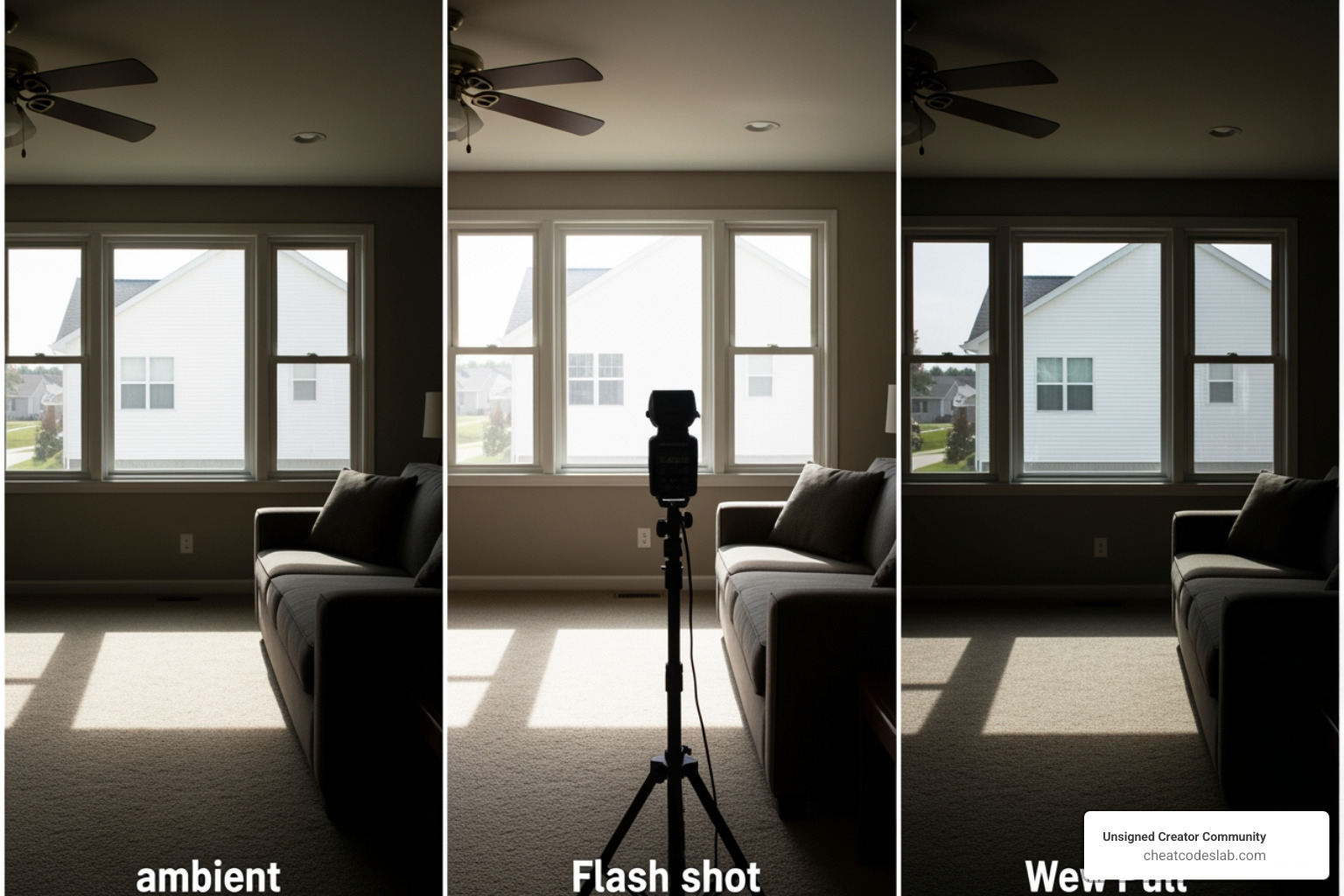
1. The Ambient Shot (Natural Light)
This is your base layer for mood. Turn off the flash. With your ISO at 100-400 and aperture at f/8-f/11, adjust the shutter speed until the room is slightly underexposed. This preserves highlight detail in bright areas like windows. Don’t worry if windows are bright; the goal is to capture the room’s natural atmosphere.
2. The Flash Shot (Bounced Flash)
This shot adds clean light and restores accurate colors. Keep the camera position fixed. Increase your shutter speed to your camera’s flash sync speed (e.g., 1/200s) to kill the ambient light. Position your off-camera flash pointing up at a 45-degree angle, bouncing the light off a white ceiling. This creates a large, soft light source. Adjust flash power (start low at 1/16) until the interior is evenly lit without hotspots.
3. The Window Shot (Exposing for the View)
This shot captures the detail outside the windows. Do not move the camera. Keeping ISO and aperture the same, decrease your shutter speed until the exterior view is perfectly exposed. The interior of the room will become very dark, which is exactly what you want. This allows you to blend the clear view into your final image later.
Editing and Advanced Flambient Techniques
Post-processing is where the magic of how to shoot flambient real estate photography comes alive. Here, you’ll blend your exposures into a single, stunning image.
How to Edit Flambient Photos: A Step-by-Step Guide
Editing flambient photos in Photoshop combines the best elements of your ambient, flash, and window shots. The goal is a well-lit interior, clear window views, and accurate colors.
- Import and Prep in Lightroom: Import your RAW ambient, flash, and window shots. Apply lens corrections and sync white balance adjustments across the images.
- Open as Layers in Photoshop: Right-click the selected images and choose “Edit In” > “Open as Layers in Photoshop.” Rename the layers for clarity (e.g., “Ambient,” “Flash,” “Window”).
- Auto-Align Layers: Select all layers and go to “Edit” > “Auto-Align Layers.” This corrects any minor shifts between shots. Crop the canvas to remove any blank edges created by the alignment.
- Blend with Luminosity Mode: Place the “Ambient” layer above the “Flash” layer. Change the “Ambient” layer’s blend mode to Luminosity. This uses the brightness from the ambient shot and the clean color from the flash shot, removing color casts while keeping a natural feel. Adjust the layer’s opacity (start around 50%) to taste.
- Correct Color with Color Blend Mode: If any discoloration remains, create a new blank layer, set its blend mode to Color, and use a soft, low-opacity brush to paint over problem areas with a sampled neutral color.
- Mask in the Window View: Drag your “Window Pull” layer to the top. Add a black layer mask to hide it (click the mask icon, then press Ctrl/Cmd + I). Use a soft white brush on the mask to paint over the windows, revealing the perfectly exposed exterior view.
- Refine and Finish: Use layer masks with a low-opacity brush to bring back natural shadows from the ambient layer or hide harsh areas from the flash layer. Use the Clone Stamp or Healing Brush on a new layer to clean up any remaining flash reflections or hotspots. Finally, save a layered PSD file, then flatten and save your final JPEG.
This process becomes second nature with practice, often taking just a few minutes per photo.
Watch a video tutorial on blending from Nathan Cool Photo.
Common Mistakes and Advanced Considerations
Avoiding common pitfalls will lift your results.
Common Mistakes to Avoid:
- Overexposing Interiors: Use lower flash power to avoid a harsh, sterile look.
- Harsh Shadows: Always bounce your flash off a ceiling or wall, or use a diffuser to soften the light.
- Color Casts: Use your flash to neutralize mixed lighting and fine-tune with the “Color” blend mode in Photoshop.
- Misaligned Shots: Use a sturdy tripod and remote shutter to ensure all your exposures line up perfectly.
- Over-processing: The goal is a natural, realistic look, not a hyper-real or cartoonish image.
Advanced Techniques:
- Managing Reflections: Plan your flash placement to avoid direct reflections in shiny floors, mirrors, or windows.
- Using Multiple Flashes: For large or complex rooms, use multiple flashes or take several flash “pops” from different positions and blend them in post.
- Color Correction Gels (CTO/CTB): Use a CTO (orange) gel on your flash to match warm indoor lighting or a CTB (blue) gel for cool daylight, creating a more harmonious base for editing.
- High or Dark Ceilings: If you can’t bounce flash, use a light stand with a reflector or softbox to create your own large, soft light source.
More info about AI in Content Creation
Outsourcing and Growing Your Business
As your business grows, the time spent editing can become a bottleneck. Outsourcing your photo editing is a strategic move to scale your operations.
Benefits of Outsourcing Photo Editing:
- Save Time: Free up hours each week to focus on shooting more properties, marketing your services, or improving your work-life balance.
- Ensure Consistency and Quality: Reputable editing services deliver a consistent, high-quality look across all your images, strengthening your brand.
- Scale Your Business: Take on more clients and shoots without getting swamped by post-production. It’s an efficient way to expand.
- Access Expertise: Leverage the specialized tools and deep knowledge of professional editors in complex blending and retouching.
When choosing a partner, look for a service that understands flambient photography. Provide clear style guides to ensure they match your vision. At Unsigned Creator Community, we empower creators with tools like our AI Content Creation Guide, and we know that leveraging efficiency is key. Outsourcing editing allows you to focus on what you do best: capturing stunning images and building client relationships.
Learn more about our recommended Camera Equipment for Real Estate Photography


About the author

How to Archive Posts on Instagram in 4 Easy Steps
Master archiving on Instagram in 4 easy steps to organize your profile and protect your content.

Beginner’s Guide to 10k free instagram followers app
Discover how a 10k free instagram followers app works, its risks, and safe organic growth strategies for real engagement in 2026.

Beginner’s Guide to Best Instagram Report App
Discover the best Instagram report app for real-time analytics, automated reports, and data-driven decisions in 2026.
How to Master Advanced SEO Search Techniques in 7 Steps
Master advanced search techniques in SEO with 7 proven steps to boost rankings, technical audits, and organic traffic.

Cheat Sheet to the Best Business Apps
Discover the best business apps to streamline operations, boost productivity, and scale your business in 2026.

How to Get Instagram Followers Free APK in 5 Steps
Discover how instagram followers free apk 2026 download works and learn safe organic growth strategies instead of risky third-party tools.
Related
How to Archive Posts on Instagram in 4 Easy Steps
Master archiving on Instagram in 4 easy steps to organize your profile and protect your content.

Beginner’s Guide to Best Search Engine Optimization SEO
Master best search engine optimization SEO with this beginner's guide covering on-page, technical, and AI strategies for higher rankings.

Ultimate Checklist for Social Media Marketing Agency
Discover the ultimate checklist for choosing a social media marketing agency that drives real ROI and growth.

Hot Summer Caption Ideas That Spark Engagement
Discover hot summer caption ideas that boost engagement, from short aesthetic lines to funny unhinged vibes and beach photo dumps.

How to Add Text to Instagram Story in 5 Easy Steps
Learn how to add text to Instagram Story in 5 easy steps with our native tips and creative text hacks for better engagement.

How to Add Audio to Instagram Story the Right Way
Learn how to add audio clip in Instagram Story using built-in music or your own file with this step-by-step guide.
