

The Best Gear for Vlogging: What You Actually Need to Get Started
The best gear for vlogging doesn’t have to cost a fortune — but choosing the right equipment from the start makes a real difference in your video quality, consistency, and growth.
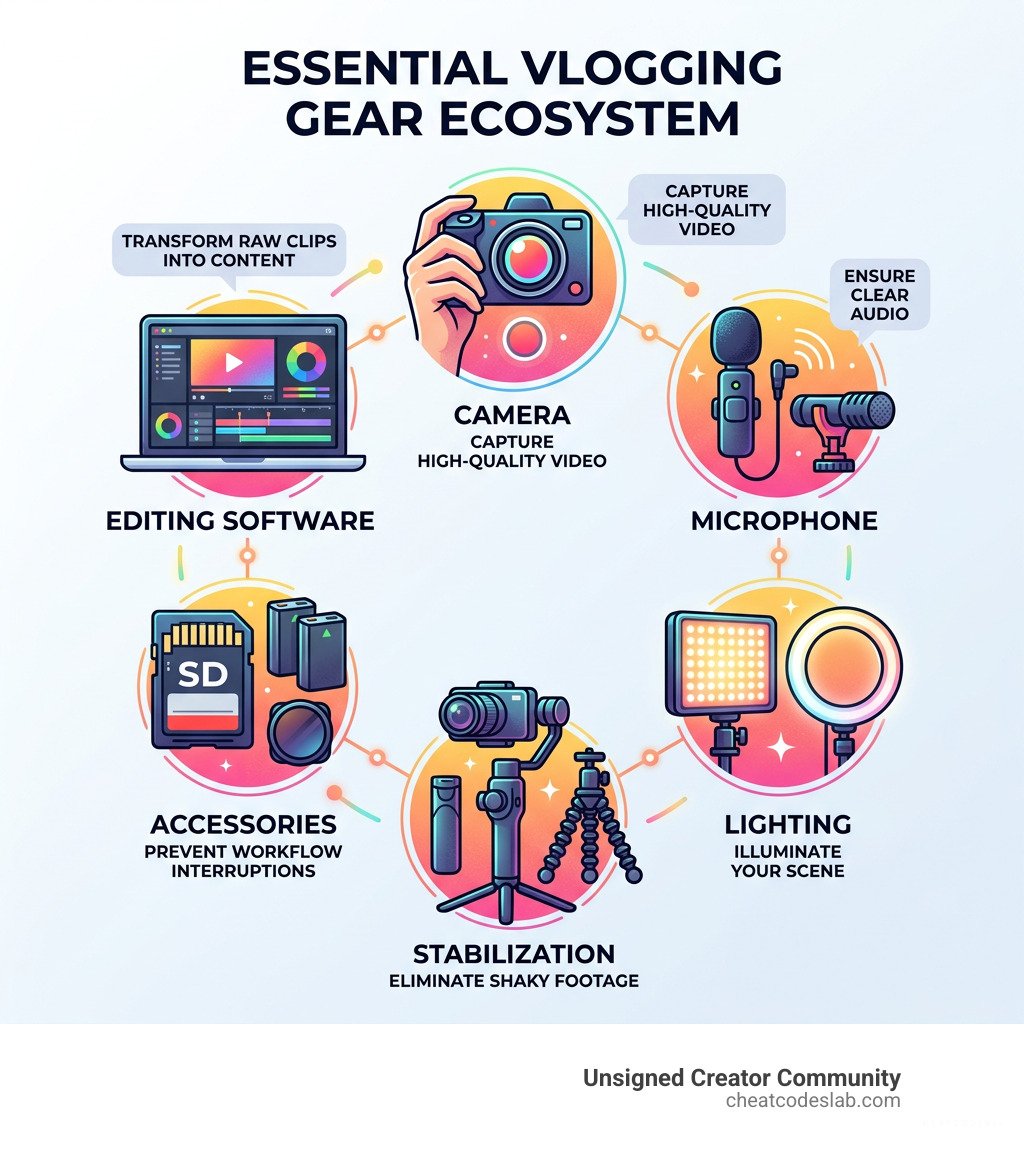
Here’s a quick look at the essential vlogging gear you need:
| Gear Category | What to Get | Why It Matters |
|---|---|---|
| Camera | Smartphone, mirrorless, or action cam | Your core recording device |
| Microphone | Wireless lav or on-camera shotgun mic | Audio quality is the #1 upgrade |
| Stabilization | Tripod, GorillaPod, or gimbal | Eliminates shaky, unprofessional footage |
| Lighting | Ring light or LED panel | Makes you look polished on camera |
| Accessories | SD cards, spare batteries, ND filters | Prevents costly interruptions mid-shoot |
| Editing Software | DaVinci Resolve, CapCut, or Final Cut Pro | Turns raw clips into shareable content |
Most beginners can start with just a smartphone and a budget microphone. As your channel grows, you layer in better cameras, lighting, and accessories. A complete professional kit — camera, lens, audio, lighting, and accessories — runs around $2,500, but you don’t need all of it on day one.
Vlogging has become one of the most powerful ways to build an audience, share your story, and grow a personal brand. Whether you’re a content marketer, a solo creator, or a brand trying to connect with your audience through video, the gear you choose shapes how people experience your content.
The good news? You don’t need a film crew or a Hollywood budget. You need the right tools for your style and goals — and that’s exactly what this guide breaks down.
I’m digitaljeff — filmmaker, content strategist, and tech entrepreneur with 20 years of experience building brands and producing content that has generated over a billion views across social media. I’ve tested and used best gear for vlogging across professional productions, mobile livestreams, and documentary shoots around the world, so everything you’ll find in this guide is grounded in real-world experience. Let’s get into it.
Best gear for vlogging vocabulary:
Essential Categories for the Best Gear for Vlogging
When we talk about the best gear for vlogging, it’s easy to get distracted by shiny new camera releases. However, a “pro” setup is actually a balanced ecosystem. If you have a $4,000 camera but your audio sounds like you’re underwater, viewers will click away in seconds. Research shows that viewers are far more tolerant of average video quality than they are of poor audio.
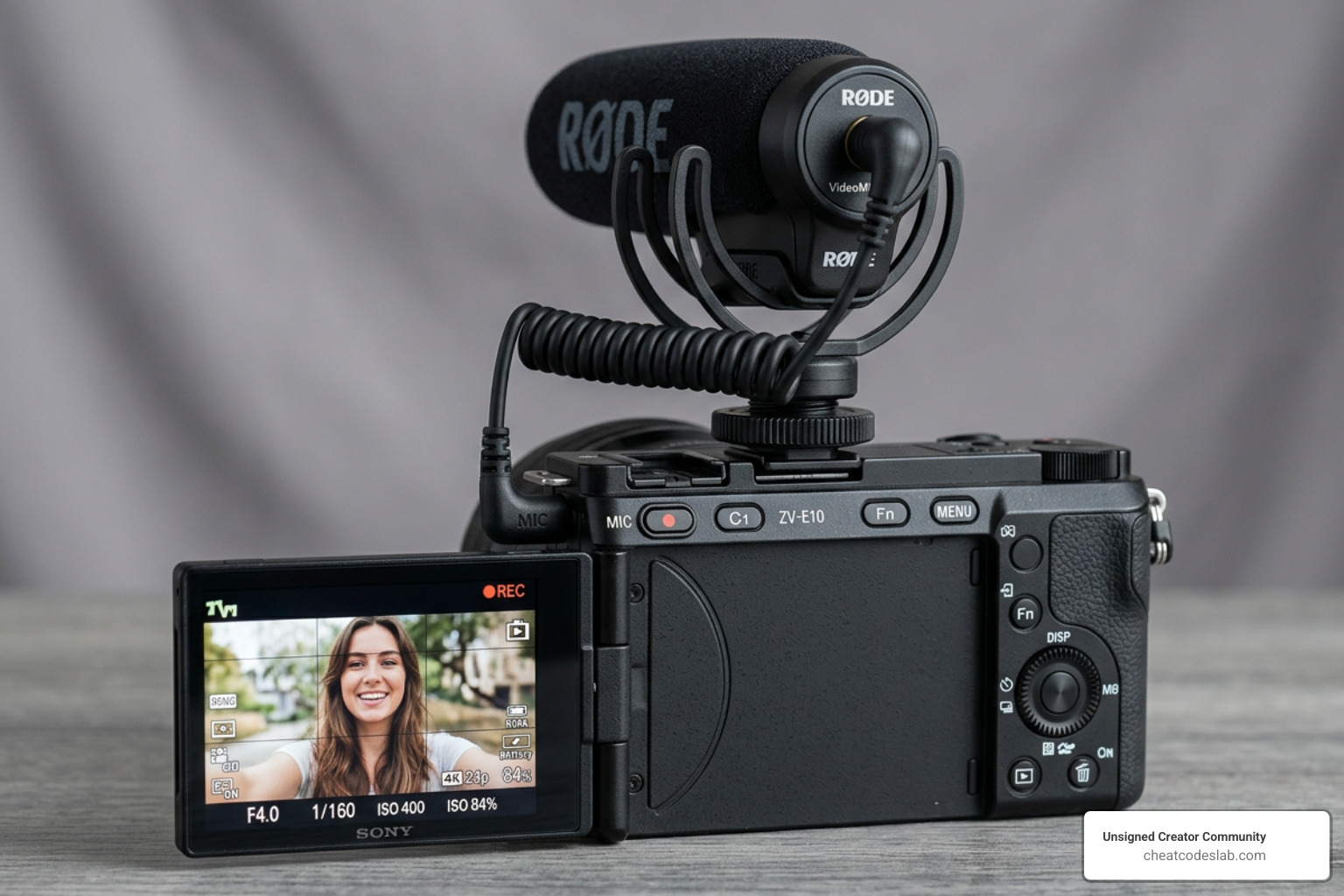
The core of your kit should prioritize four things: 4K resolution (which is now the industry standard for future-proofing), reliable face-tracking autofocus, portability, and a flip-out screen so you can actually see yourself while filming.
Choosing the Best Gear for Vlogging Cameras by Style
Not every vlogger needs the same camera. A travel vlogger trekking through Southeast Asia has very different needs than a beauty vlogger filming in a controlled studio environment. Here is how we break down the top contenders:
The All-Rounder: Sony ZV-1 II This is often cited as the gold standard for dedicated vlogging cameras. It features a 1-inch sensor, which is significantly larger than most smartphone sensors, providing that sought-after soft bokeh blur to separate you from the background. It’s compact enough to fit in a jacket pocket but powerful enough to shoot high-quality 4K.
The Cinematic Powerhouse: Fujifilm X-M5 If you want your vlogs to look like a movie, the Fujifilm X-M5 is a revelation. It offers 6K open-gate recording and F-Log2, features usually reserved for cameras three times its price. Experts note it performs roughly 85% of what a high-end $2,700 professional camera does, making it an incredible value for those prioritizing image aesthetics.
The Travel King: DJI Osmo Pocket 3 For “walk-and-talk” style videos, nothing beats the Pocket 3. It features a built-in mechanical gimbal, meaning the camera physically moves to counteract your hand tremors. It’s perfect for busy trade shows or city tours where you need to be low-profile but perfectly stabilized.
The Action Specialist: GoPro Hero13 Black If your vlogs involve skiing, surfing, or high-energy outdoor activities, the GoPro is the best gear for vlogging. Its HyperSmooth 6.0 stabilization is described by many as “miraculous,” turning bumpy mountain bike rides into buttery smooth footage.
The Pro Choice: Sony α6700 When you are ready to step up to interchangeable lenses, the α6700 is the way to go. Its APS-C sensor produces less noise in low light and offers a higher dynamic range. Plus, it’s compatible with a massive library of E-mount lenses.
For those just starting, check out our guide on beginner camera gear to avoid common first-time buyer mistakes.
Audio Solutions for Crystal Clear Sound
We cannot stress this enough: your internal camera microphone is likely not good enough. Most built-in mics capture “hollow, tinny” audio that picks up every wind gust and background hum. To vlog like a pro, you need an external solution.
Wireless Systems: Rode Wireless Pro vs. DJI Mic 2 These are the heavy hitters. The Rode Wireless Pro is legendary for its 32-bit float recording. This is a fancy way of saying it’s almost impossible to “clip” or distort your audio; even if you shout, the software can recover the sound perfectly. The DJI Mic 2 is equally impressive, often favored for its sleek charging case and intuitive touchscreen interface. Both offer roughly a 70-meter range, giving you plenty of room to move.
On-Camera Shotgun: Sennheiser MKE 200 If you don’t want to mess with clipping mics to your shirt, a shotgun mic like the Sennheiser MKE 200 is perfect. It uses a super-cardioid pickup pattern to focus on the sound directly in front of the lens while ignoring noise from the sides.
Budget Hack: Lavalier Mic + Smartphone You can get professional-grade audio by using a simple Lavalier Mic plugged into your smartphone. Record the audio using a voice memo app and sync it with your video during editing. It’s a trick many successful creators use to save money while maintaining high standards.
Stabilization and Lighting for Professional Visuals
Shaky footage is the quickest way to make a viewer feel motion sick. Stabilization gear is essential for the best gear for vlogging kit.
Gimbals: Insta360 Flow Pro If you vlog with a smartphone, a gimbal is your best friend. The Insta360 Flow Pro is highly recommended because it’s easy to use, has a long-lasting battery, and features AI subject tracking that follows you as you move around the room.
Portable Stability: Joby GorillaPod 1K Kit The Joby GorillaPod is a vlogging icon. Its flexible legs can wrap around tree branches, fence poles, or bicycle handlebars. It also doubles as a sturdy handheld grip for “selfie-style” filming.
Lighting: SENSYNE Ring Light & Aputure Amaran P24C Good lighting makes your skin look better and your video look sharper. For a desk setup, a 10-inch ring light provides even, soft light that hides shadows. If you need something more versatile, the Aputure Amaran P24C light tubes are fantastic. They are portable, battery-powered, and can change colors to add a “vibe” to your background.
Don’t forget that lens quality matters too. Using best camera lens filters like ND filters can help you maintain a cinematic look even in bright sunlight.
Building Your Kit and Scaling Your Channel
Once you have your core camera and mic, it’s the “boring” stuff that keeps your channel running. We’ve seen many creators lose an entire day of filming because they ran out of storage or their only battery died.
Essential Accessories to Prevent Pitfalls
- Storage: Invest in high-speed, high-capacity SD cards like the Lexar Professional 633X. 4K video eats up space fast, so having at least two 64GB or 128GB cards is a must.
- Power: Always carry another battery. A typical mirrorless camera battery lasts about 60–90 minutes of active recording. For smartphone users, a high-capacity power bank is non-negotiable.
- Light Control: A Variable ND Filter acts like sunglasses for your camera. It allows you to film with a wide-open aperture (for that blurry background) even in the middle of a sunny day.
- Versatility: An L Bracket Plate allows you to quickly flip your camera from horizontal (for YouTube) to vertical (for TikTok/Reels) while keeping it mounted on a tripod.
Software and Post-Production for the Best Gear for Vlogging
Editing is where the magic happens. It’s where you take raw clips and turn them into a story.
Professional Choice: DaVinci Resolve DaVinci Resolve is a professional-grade tool used by Hollywood filmmakers, and incredibly, the base version is free. It has a steep learning curve, but it offers the best color grading and audio tools in the business.
Mobile & Quick: CapCut CapCut has become the go-to for many TikTok and Short-form creators. It’s intuitive, features great auto-captions, and has a library of trending effects.
Apple Ecosystem: Final Cut Pro & iMovie If you use a Macbook Pro, Final Cut Pro is optimized to run incredibly fast. For total beginners, iMovie is a great “starter” software that comes pre-installed on Apple devices.
Budgeting and Future-Proofing Your Setup
We often get asked: “How much do I really need to spend?”
If you have a modern smartphone, your starting cost is nearly zero. You can start successfully with just your phone and a $50 microphone. However, if you want to build a “forever” kit that scales with your skills, a budget of approximately $2,500 is the sweet spot. This allows for a mid-range mirrorless camera (like the Sony ZV-E10 II or Fujifilm X-M5), a versatile zoom lens, a wireless mic system, and basic lighting.
One pro tip for future-proofing is to adapt lenses. Instead of buying cheap lenses for your specific camera, you can use an adapter to mount professional EF lenses. These lenses hold their value and can be moved to almost any camera system as you upgrade your body in the future.
At CheatCodesLab, we specialize in helping creators find the “cheat codes” to success. Whether it’s using AI tools to script your vlogs or finding the best photography gear to make your visuals pop, our goal is to help you work smarter, not harder.
Ready to start building your dream setup? Visit our shop for more curated recommendations and tools designed to help you scale your creative business.
The best gear for vlogging is ultimately the gear that you actually use. Don’t let a lack of equipment stop you from starting. Pick up your phone, grab a mic, and start sharing your story with the world today.


About the author

How to Archive Posts on Instagram in 4 Easy Steps
Master archiving on Instagram in 4 easy steps to organize your profile and protect your content.

Beginner’s Guide to 10k free instagram followers app
Discover how a 10k free instagram followers app works, its risks, and safe organic growth strategies for real engagement in 2026.
Beginner’s Guide to Best Instagram Report App
Discover the best Instagram report app for real-time analytics, automated reports, and data-driven decisions in 2026.
How to Master Advanced SEO Search Techniques in 7 Steps
Master advanced search techniques in SEO with 7 proven steps to boost rankings, technical audits, and organic traffic.

Cheat Sheet to the Best Business Apps
Discover the best business apps to streamline operations, boost productivity, and scale your business in 2026.

How to Get Instagram Followers Free APK in 5 Steps
Discover how instagram followers free apk 2026 download works and learn safe organic growth strategies instead of risky third-party tools.
Related
How to Archive Posts on Instagram in 4 Easy Steps
Master archiving on Instagram in 4 easy steps to organize your profile and protect your content.

Beginner’s Guide to Best Search Engine Optimization SEO
Master best search engine optimization SEO with this beginner's guide covering on-page, technical, and AI strategies for higher rankings.

Ultimate Checklist for Social Media Marketing Agency
Discover the ultimate checklist for choosing a social media marketing agency that drives real ROI and growth.

Hot Summer Caption Ideas That Spark Engagement
Discover hot summer caption ideas that boost engagement, from short aesthetic lines to funny unhinged vibes and beach photo dumps.

How to Add Text to Instagram Story in 5 Easy Steps
Learn how to add text to Instagram Story in 5 easy steps with our native tips and creative text hacks for better engagement.

How to Add Audio to Instagram Story the Right Way
Learn how to add audio clip in Instagram Story using built-in music or your own file with this step-by-step guide.
